For engineering managers and team leads
Know who's on vacationbefore you promise a release date.
Forgot is a team calendar for engineering managers and team leads. Drag in vacations, on-call and project work, and see who's out on release day. Your team sends their own dates and sees who's out in Slack, Teams or their calendar, no signup.
The demo needs no account. The trial needs no card. Then $29 once, or $19/month for your team.
- Your team sends their own dates
- Slack and Microsoft Teams
- Google Calendar and Outlook feed
- Co-editors on Team
- Import from a spreadsheet
- Mac app and Chrome extension
Start from an example
Don't start from a blank calendar. Copy one that's already filled in.
These are real Forgot calendars, moved to this week. Play with one right here, no signup. When it clicks, make it yours, rename the people and drag the bars to match your team.
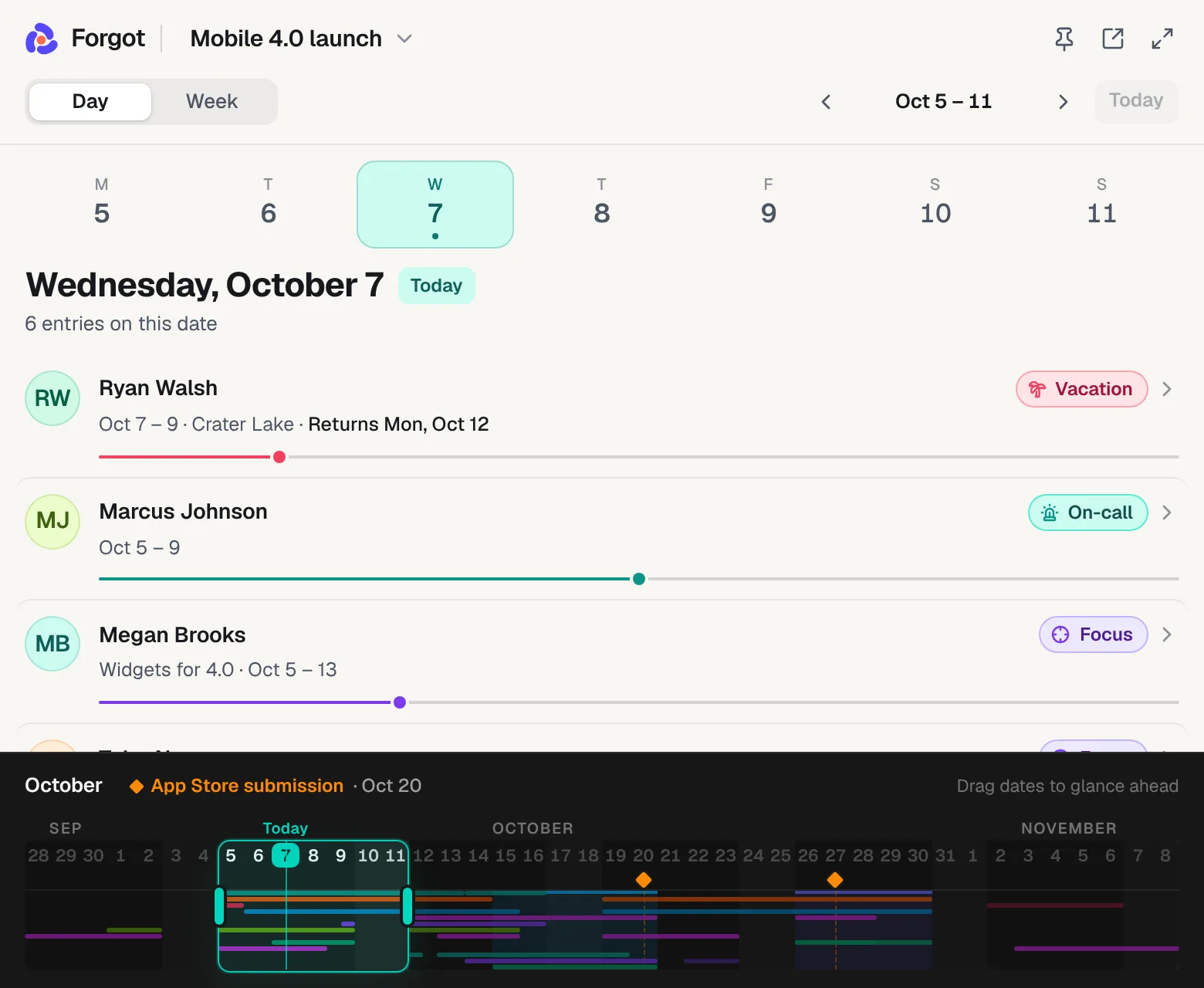
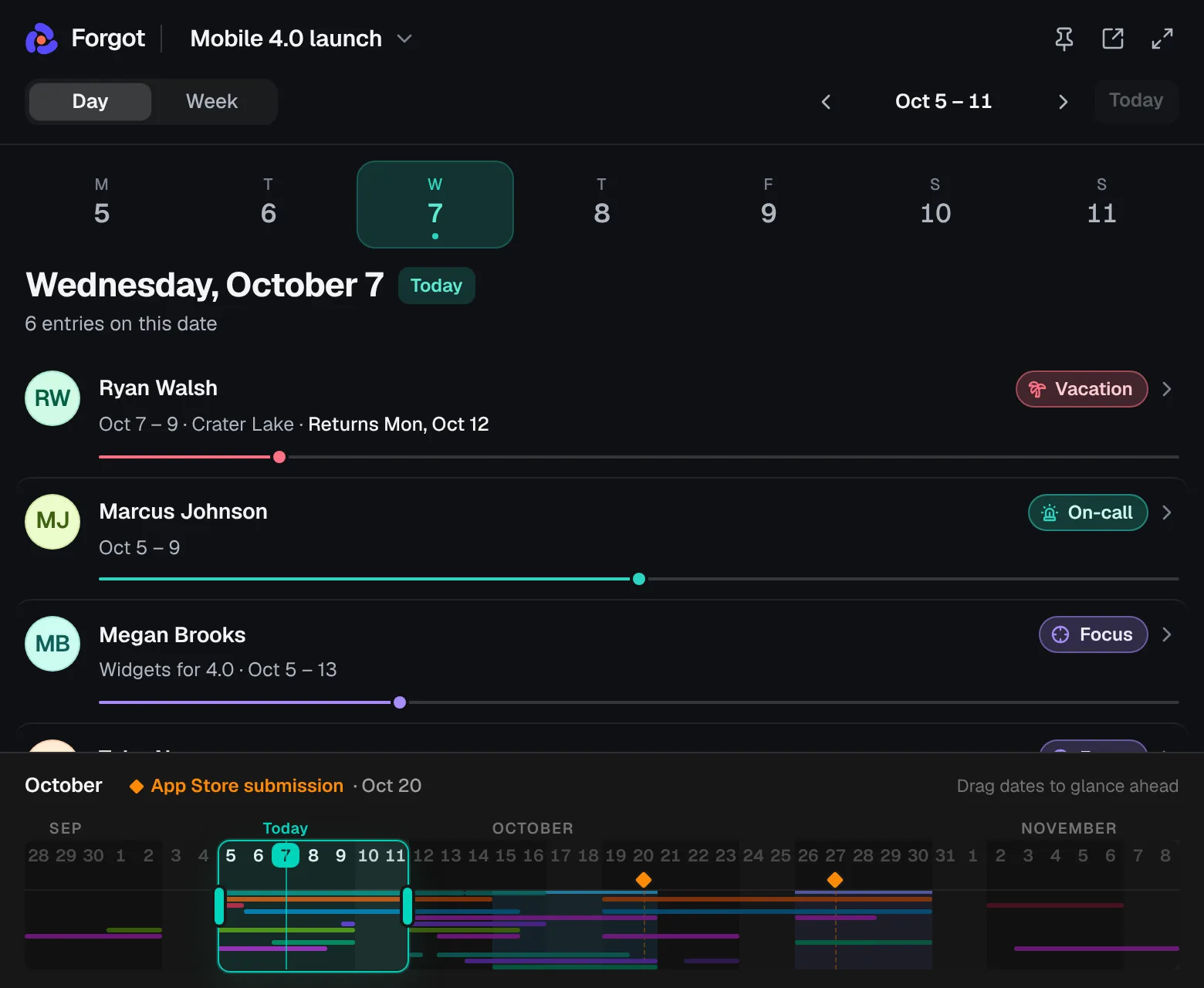
Mobile 4.0 launch
Engineering manager, 13 people on 5 teams
Nov 9910111213141516171819202122MeganTylerChrisJordan+9 more
Megan's trip to Cabo lands on code freeze, and the warning names her.
Platform team, coast to coast
Remote infrastructure team, 10 people in 6 time zones
Nov 9910111213141516171819202122DavidLuisNateKayla+6 more
David is the secondary on-call the week he's at a wedding, right on the Postgres cutover.
Customer Support PTO
Support lead, 16 agents on 4 shifts
Nov 9910111213141516171819202122AmandaDerekLaurenAnthony+12 more
Three of the four early-shift agents are out in the same week.
You commit to a release date. Then you find out your backend lead is on vacation that week.
The trip came up in standup a month ago and never made it onto the OOO calendar. On-call is in a spreadsheet, project work is in your head, and the release date is in a Slack thread. Forgot puts all of it on one calendar, so you see the conflict while the date is still easy to move.
A shared spreadsheet called “Team OOO 2026 (FINAL) v3” with mixed date formats, color codes, question marks, a #REF! error and five tabs of copies. Next to it, the same week in Forgot: Ryan Brooks is away at a conference Tuesday to Friday, and Forgot warns that he is away on Release day.
- Can we still ship on Friday?
Add the release date. If anyone is away that day, a warning appears: “Ryan Brooks is away on Release day.”
- Who can pick up this urgent bug?
Click today's date. You see who's out, who's on call, who's deep in a migration and who's free.
- Who's out next month?
When your manager asks, send the read-only link. It always shows the current calendar.
Works with your tools
Your team sends their dates in. Who's out shows up in Slack, Teams and their calendar.
You don't have to type in every vacation, and your team doesn't have to open another app. Nobody but the editors needs an account.
Dates come in
Your team sends their own dates
Post one request link in your team chat. Each person picks their name and marks their days, no account. You accept in one click.
Co-managers edit with you
On Team, invite up to 9 other editors by email. Their changes show up on your calendar.
Excel, CSV or Google Sheets
Import the vacation spreadsheet you have now. Codes like V, S or ½ come along as vacation, sick or a half day.
Who's out goes out, no signup to see it
Slack
Who's out today, posted to a channel every weekday morning.
Microsoft Teams
The same daily post, in a Teams channel.
Google Calendar, Outlook, Apple
Subscribe to the feed. Who's out sits next to your meetings.
Monday email
Who's out, who misses a release, what's coming up.
Notion and Confluence
Embed the live calendar in your team wiki.
Share link
Read-only, any browser, turn it off anytime.
Mac menu bar
“2 out” next to your clock, today's plan in one click.
Chrome extension
Who's out and your links over any tab.
How it works
Add your team, drag in who's out and mark your release dates.
Drag across someone's row and pick Away, Focus or Responsibility: a vacation, a design system migration, a week on call. Not confirmed yet? Mark it tentative.
Not an HR tool. Not another spreadsheet.
HR leave tools make your whole team sign up. Spreadsheets go stale. Forgot is the calendar you keep for your own team and share with a link.
| Forgot | HR leave tool | Spreadsheet | |
|---|---|---|---|
| What your team has to do | Nothing, or send dates through one link | Sign up and request time off | Nothing, if you keep it updated |
| Getting started | Type in your team, one per line | A rollout to every employee | Build the template yourself |
| On-call, project work and release dates | Same calendar as time off | Usually time off only | Only if you add them |
| Flags who's out on release day | Yes, with names | No, it doesn't know your release dates | Only if you check by hand |
| Price | Solo: one payment. Team: $29/month flat, never per person | Per person, every month | Free, plus your time |
Forgot for Mac
Who's out today, right in your menu bar.
The Mac app shows a count like “2 out” next to your clock. Click it to see who's away, who's on call and who's back when, and drag in changes without opening a browser. Press Control-Command-L in any app for who's out and the links for what's on the calendar now, like the runbook during an on-call week. Included in every plan.
From the maker
I've led dozens of software teams over 12+ years. In weekly meetings I kept hearing the same thing: “Hey, I'm on vacation next week.” “Oh, I didn't know. Who's going to handle X then?”
Forgot is the simple calendar I wanted in those meetings: who's out, what we're working on, and the dates we agreed to.
 Petar SlovićMaker of ForgotRead the story
Plan it with your co‑managers. Everyone else views free.
Invite by email
Your co-lead or the other managers get a link, sign in and edit the same calendar. Their changes show up on yours.
Different editors on each calendar
Run several projects? Each calendar has its own editors. One Team plan covers all of them.
Everyone else views free
Your team, your manager and the rest of the company see it through a link, Slack, Teams or email. Never per person.
Editors
3 of 10 editors
Also invite them to
- Owner
Emma Carter
3 calendars
- Editor
Jake Miller
Backend, Mobile
- Invited
Olivia Chen
Mobile
One flat price for your team. Or pay once if it's just you.
Everyone who only looks at the calendar is free: your team, your manager, the whole company. You only pay for the people who edit, and never per person.
Team
For a team lead and anyone who plans with them.
$29$19 /month
Founding price for the first 20 teams, locked in. 20 left.
- Up to 10 editors, you included
- Different editors on each calendar
- Everyone else views free, never per person
- Co-editors' changes show up on their own
- Everything in Solo
Solo
Just you editing? Pay once instead.
$29 once
Lifetime license, one editor
- You edit, everyone else views free
- Your team sends their dates through a link
- Unlimited calendars, up to 50 people each
- Share links, calendar feeds, Slack or Teams post, weekly email
- Mac app and Chrome extension
- Yours for good, no subscription
The 14-day trial includes inviting editors. No card needed. Checkout on Gumroad, which handles sales tax and VAT. Compare plans
Questions
Still unsure? Email hello@forgot.dev
Does my team need to sign up or install anything?
No. Only editors sign in: you, plus any co-managers you invite on Team. Your team and your manager open a read-only link in any browser, with no account. Want your team to send you their dates? Post the request link: each person picks their name and marks their days, and you accept them in one click.
Can my team add their own time off?
Yes, two ways. Post the request link in your team chat: each person picks their name, marks their days and sends them, with no account, and you accept them in one click with any clash named. Or, on Team, invite co-managers or leads as editors (up to 10 people) and they edit the calendar directly. Everyone else sees it through a link, Slack, Teams, email or their own calendar.
Can I try it before I buy?
Yes. Sign in with Google. No password, no card. You get the full editor for 14 days. You can invite co-managers as editors during the trial too. After that your calendars become view-only, with all your data kept, until you pick Team or Solo.
Does it work with Slack, Microsoft Teams, Google Calendar or Outlook?
One way. Every calendar has a feed you can subscribe to in Google Calendar, Outlook or Apple Calendar, so who's out shows up next to your meetings and stays up to date. It can also post who's out today to a Slack or Microsoft Teams channel every weekday morning. You can also embed the live calendar in Notion or Confluence, and email it to anyone every Monday. Dates come in through a drag, your team's request link, co-editors on Team or a spreadsheet import. Forgot never reads anyone's calendar or Slack and doesn't connect to HR tools, so nobody on your team has to connect an account.
Can a second manager edit the same calendar?
Yes, on Team. Invite them by email from the Editors button on your calendar, and choose which of your calendars they can edit. Team is $29/month flat for up to 10 editors across all your calendars, never per person. During your 14-day trial you can invite editors for free.
Who needs a paid plan: editors or everyone?
Only editors, the people who add or change time off, on-call and release dates. Everyone else views for free, as many people as you like, through a share link, the Slack or Teams post, the weekly email, the calendar feed or a Notion or Confluence embed.
What does it cost? Will the price go up?
Two plans. Solo is one payment for a lifetime license with one editor: you. Solo licenses sell in batches of 20 at $29, $39, then a regular price of $49, and right now it's $29. Team is $29/month or $290/year for up to 10 editors, and the first 20 teams pay $19/month for as long as they stay subscribed. Neither plan charges per person.
How is this different from an HR leave tool like BambooHR?
Leave tools need every employee onboarded, an admin to approve requests and a monthly fee per person. In Forgot only the managers who edit sign in: your team can send dates through one link and you accept them on the calendar, with no approval chains. It also covers on-call, project work and release dates, and you never pay per person. It doesn't track PTO balances or accruals.
Is it a resource planner like Float or Runn?
No. There's no per-seat pricing, no setup project and no utilization math. It answers the everyday questions fast: who's out, who's on call, who's on which project and whether the release date is safe.
We track time off in a spreadsheet. Do I start over?
No. Import it: drop in the Excel or CSV file, or paste the rows from Google Sheets. Everyone on it gets a row and their days off come along, with codes like V, S or ½ read as vacation, sick or a half day. You check what it found before the calendar is made.
Can I keep the runbook, the release checklist and the on-call schedule in it?
Yes. Add a link to a bar, a release date or a code freeze, and choose whether it shows just there or on every bar of that type. The on-call runbook shows on every on-call week, the release checklist on every release date. Links are only for you: they never appear on share links, embeds, calendar feeds, Slack and Teams posts or emails. On a Mac, Control-Command-L opens them from any app, and the Chrome extension opens them over any tab with Ctrl+Shift+L.
Is my team's data private?
Only you, the editors you invite and anyone you send a share link to can see your calendars. Links are unguessable and you can turn them off anytime. Mark a bar or a whole type, like Sick, as private and the link shows only that the person is out. There are no leave balances or HR records in Forgot, just dates on a calendar.
What happens after I pay?
Gumroad handles checkout, including sales tax, and emails your receipt and license key. Sign in at forgot.dev with a Google or GitHub account on the same email. If you started a free trial with that email, your calendars are still there. Changed your mind? Email hello@forgot.dev within 14 days for a full refund, no questions asked.
Where does it run?
In any modern browser, on any computer. On a Mac you can also download Forgot for Mac: it shows who's out today in your menu bar and opens today's plan in one click. In Chrome, Edge, Brave or Arc, add the extension for who's out and your links over any tab. Both are included in every plan.
Why is it called Forgot?
Because the vacation that clashes with a release usually wasn't a secret. Someone mentioned it weeks ago, and everyone forgot by the time the date was set. Put it in Forgot when you hear it, and nobody has to remember.
Check who's out before you promise the next release.
Try it free for 14 days, then pay $29 once, or $19/month to plan it with your co-managers. Your team never has to sign up.
No card needed for the trial. 14-day refund if you buy, no questions asked.