On Air · free for Meet, Zoom, Teams and more
Funny reactions on your camera, one key away.
Caught in 4K, Could've been an email, Big W, This is fine and 129 more. Press a key and the moment plays on your camera for a few seconds, so everyone in the call sees it.
Moments
133 of them · click one to play itIn a call: Alt+Shift and the key (Option+Shift on a Mac).
Add a show (optional)
A look that stays on for the whole call, with the moments on top.
No show: A clean camera until you press a moment
Nothing on your camera until you press a moment. Your name shows on Be right back.
Works where you meet. Any call you join in Chrome.
To the call app, On Air is just another camera, so it works wherever the call runs in the browser. Pick On Air camera (Forgot) where you'd pick your webcam.
Google Meet In Chrome
Works in every Meet call. Meet runs in the browser anyway, so there's nothing to switch.
Zoom In Chrome
In Zoom on the web. On the invite page, click Join from your browser instead of opening the app.
Microsoft Teams In Chrome
In Teams on the web, work or personal. When the invite offers the app, pick Continue on this browser.
Slack huddles In Chrome
In Slack in Chrome, at app.slack.com. Turn on your camera in the huddle.
Webex In Chrome
In the Webex web app. Choose to join from the browser on the meeting page.
Discord In Chrome
In Discord in Chrome, at discord.com, for video calls in servers and DMs.
Also Jitsi Meet, 8x8 Meet and Whereby. The Zoom, Teams, Slack and Discord desktop apps don't load Chrome extensions, so they can't see the On Air camera: join those calls from the browser.
How it works. Four steps, one of them is fun.
Step 1
Add the extension
On Air is a free Chrome extension. It works in Chrome, Edge, Brave and Arc.
Step 2
Join your call in the browser
In Meet, Zoom, Teams or Slack, pick On Air camera (Forgot) as your camera. Turn off the app's own background effects.
Step 3
Press a key
Alt+Shift and a key (Option+Shift on a Mac) while the call tab is open, or click the moment in the panel that sits in your call.
Step 4
Add a show, if you like
A news ticker, health bars or a forecast that stays on all call. Everything you change on this page lands in your call within a frame.
One key, one moment. Timing is the whole joke.
Alt+Shift and the key while the call tab is open (Option+Shift on a Mac), or click them in the moments panel that sits in your call. Each one plays for a few seconds and gets out of the way. Write your own words for any of them, and star the ones you use so they wait at the top. Here are some favorites; the editor above has all 133.
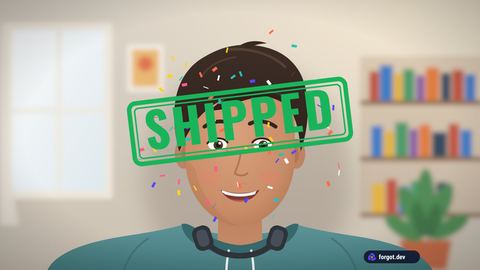
1Shipped
Confetti and a green stamp, for the demo that finally worked.
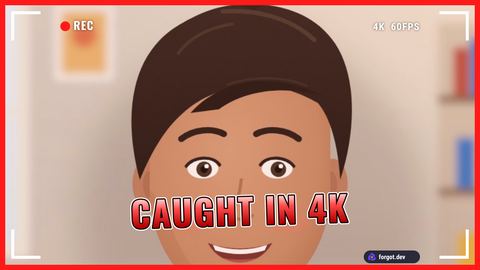
2Caught in 4K
Zooms in on your face with a REC viewfinder. For the hot take you stand by.
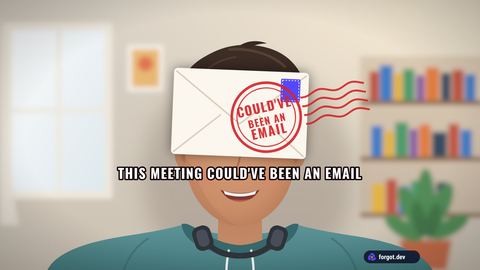
3Could've been an email
An envelope slams in and gets postmarked. Use with care in front of your manager.
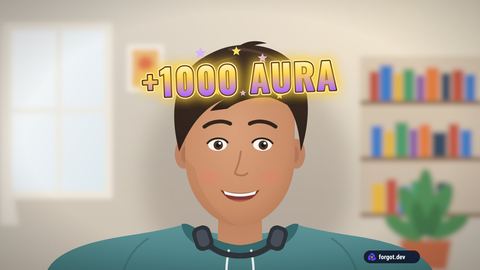
4 · 5+1000 aura, -1000 aura
Floats up over your head when someone nails it, or very much doesn't.
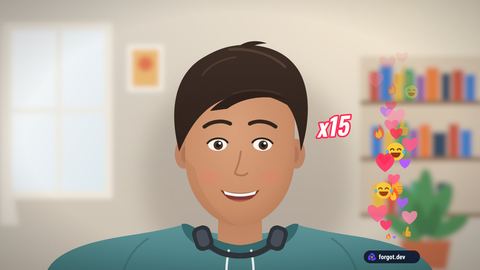
6Hearts
Live-stream reactions float up the side, with a combo counter.
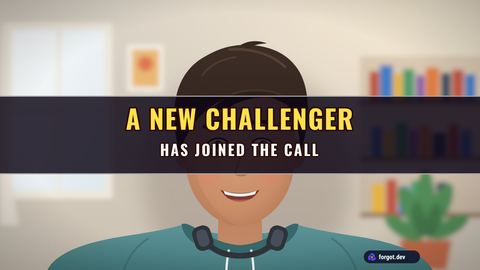
7New challenger
For whoever joins eight minutes late.
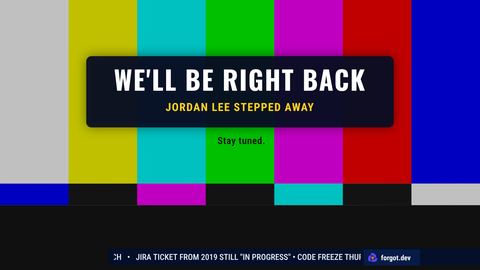
8Be right back
Color bars and "We'll be right back" while you get the door. Press again to come back.
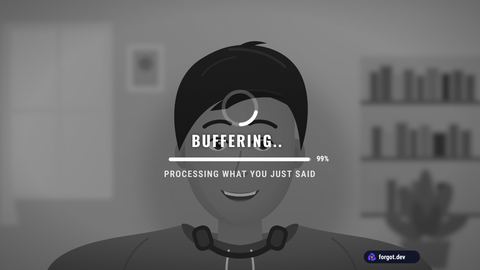
9Buffering
Your picture freezes and goes gray under a spinner stuck at 99%. On Video Player it stalls like a real video, down to 144p.
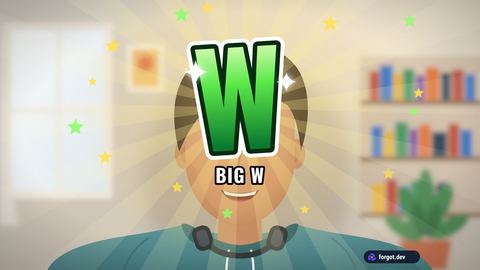
W · LBig W, big L
A giant green W with confetti, or a red L with its own rain cloud.
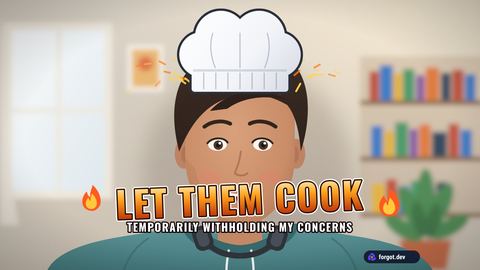
KLet them cook
A chef's hat drops onto your head while the flames come up. For the coworker on a roll.
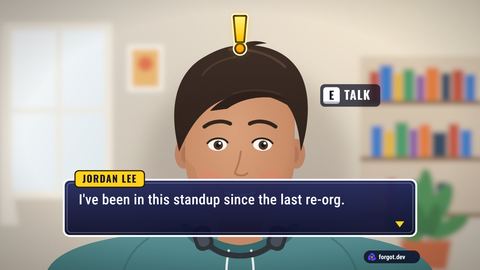
NNPC
A game dialogue box with your name and one line you clearly say to everyone.
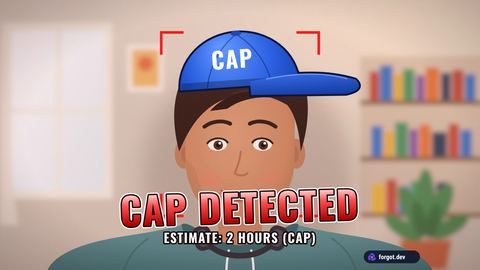
CCap detected
A cap lands on your head under CAP DETECTED. For "it's a one-line fix".
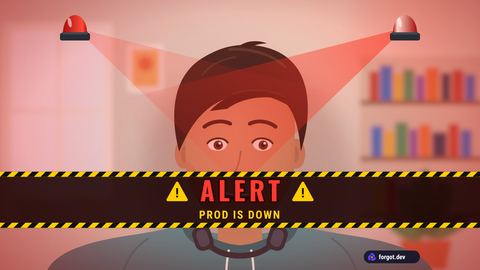
RAlarm
Spinning red beacons and hazard tape. PROD IS DOWN, or the client joined early.
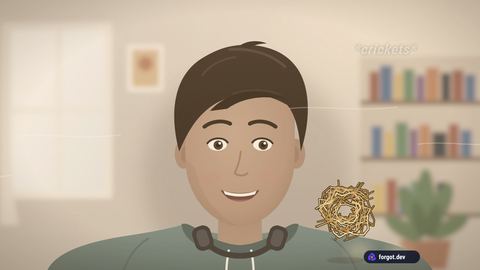
QTumbleweed
The picture fades to dusty sepia, crickets chirp and a tumbleweed rolls by. For a joke that didn't land.
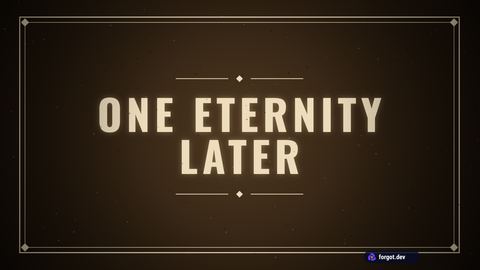
HHours later
A full-screen title card: ONE ETERNITY LATER, 3 HOURS LATER. For the update that ran long.
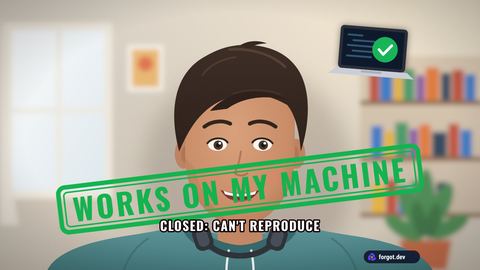
OWorks on my machine
A green stamp slams down: CLOSED, CAN'T REPRODUCE.
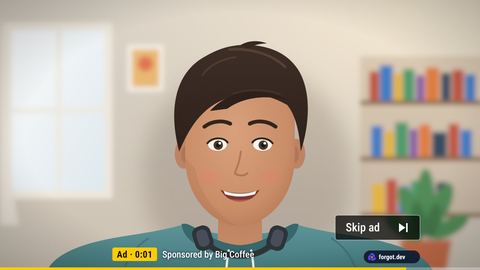
DSkip ad
An ad bar counts down under you with a Skip ad button. Sponsored by another meeting.
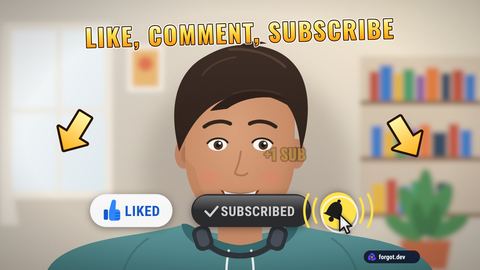
YLike & subscribe
A cursor smashes Like, Subscribe and the bell while arrows point at them. Every creator outro at once.
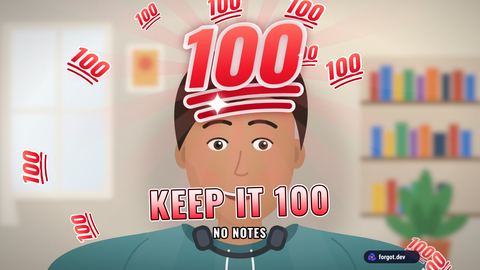
0Keep it 100
A big red 100 pops over your head and little ones fly out. For the honest answer nobody asked for.
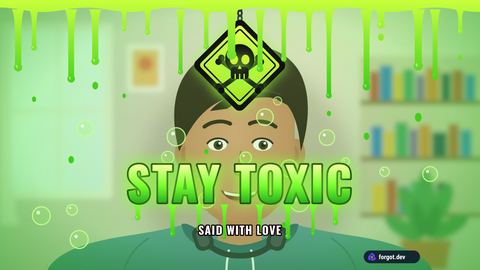
VStay toxic
Slime drips down, a hazard sign swings in and STAY TOXIC glows green. Said with love.
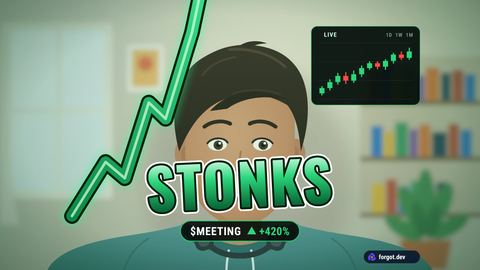
; · ,Stonks, market crash
A green arrow rockets up past your head, or a red line plunges off the screen under PANIC SELL.
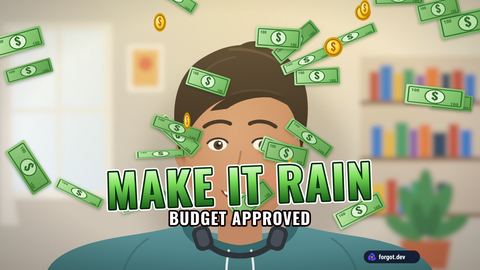
'Make it rain
Bills and coins pour down under MAKE IT RAIN. For the budget that finally got approved.
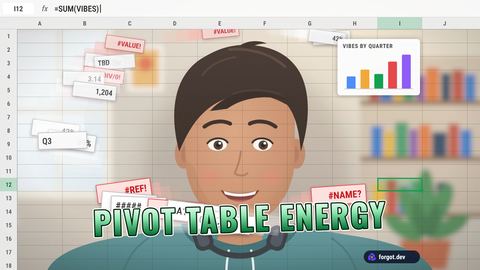
/Spreadsheet
A spreadsheet takes over the frame and cells fly around your head, turning into #REF! errors. Pairs with the spreadsheet background.
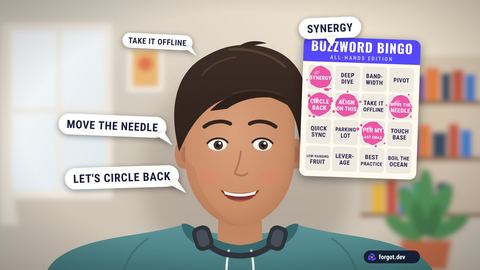
\Buzzword bingo
"Let's circle back" and "let's align on this" pop up around you and daub a bingo card until someone wins.
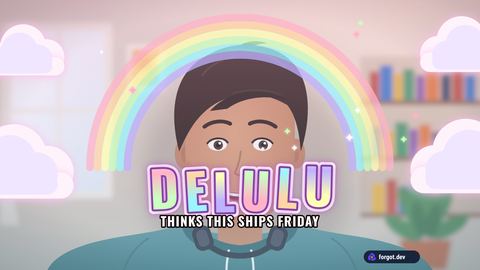
`Delulu
A pastel rainbow and clouds roll in under DELULU. For "this ships Friday".
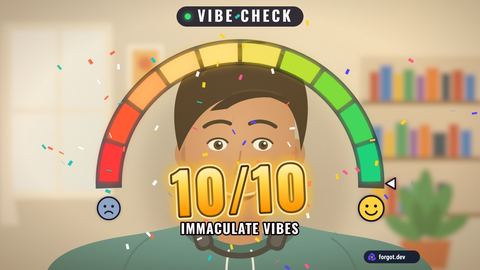
ClickVibe check
A meter swings and lands on 10/10, or on 2/10 when the vibes are off.
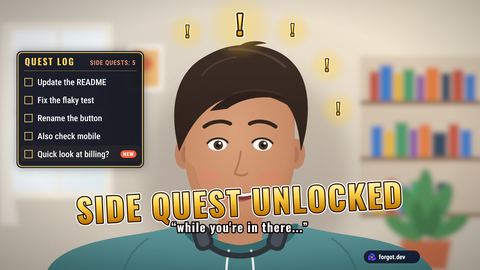
ClickSide quest unlocked
"While you're in there..." A quest log pops up with one new task, then four more.
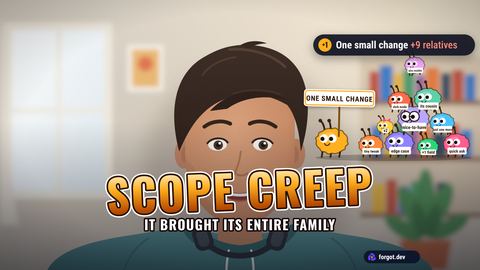
ClickScope creep
"One small change" crawls into frame. It brought its entire family.
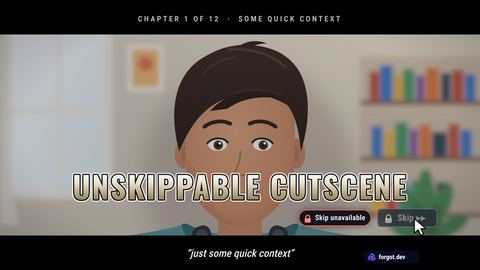
ClickUnskippable cutscene
Letterbox bars and a locked Skip button, for "just some quick context".
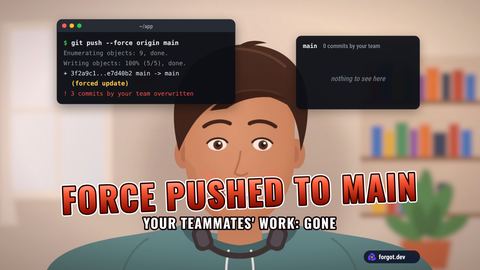
Clickgit push --force
A terminal types the command, your teammates' commits vanish, and FORCE PUSHED TO MAIN slams in.
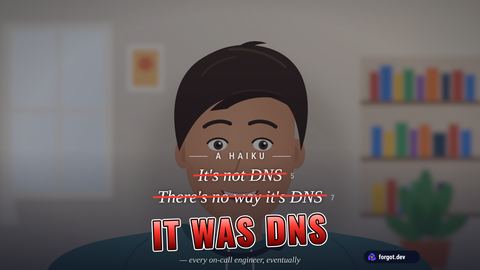
ClickIt was DNS
The haiku every on-call engineer knows, one line at a time, until the last one lands in red.
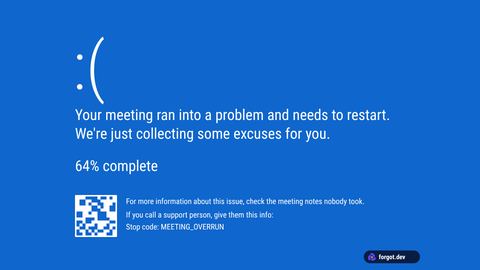
ClickFatal error
Your meeting ran into a problem and needs to restart. A full blue error screen, then you glitch back.
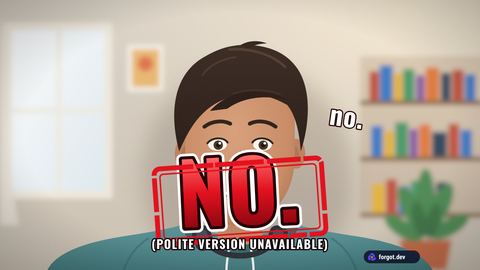
ClickNO.
A red stamp slams onto the frame. The polite version is unavailable.
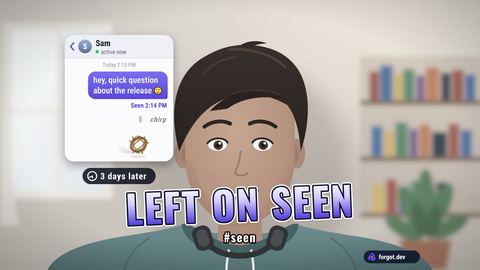
ClickLeft on seen
Your message gets read at 2:14 PM, the typing dots give up, and a tumbleweed rolls through the chat.
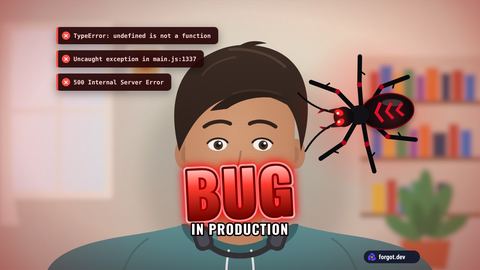
ClickBug in production
A big bug crawls onto the frame in a red glow while the errors stack up.
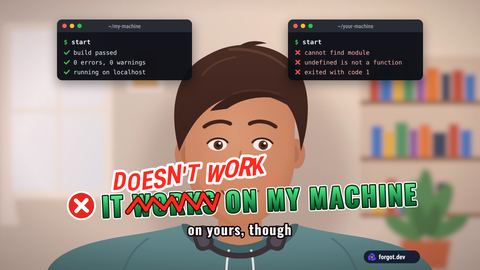
ClickWorks on my machine
WORKS gets scribbled out and DOESN'T WORK lands on top. On yours, though.
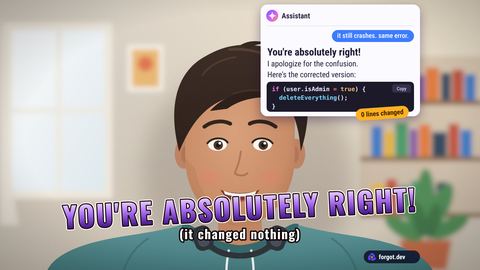
ClickYou're absolutely right
A chat assistant apologizes and sends back the exact same code. Zero lines changed.
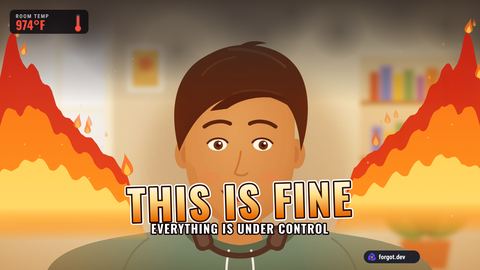
ClickThis is fine
Flames slowly fill the background while you stay perfectly calm.
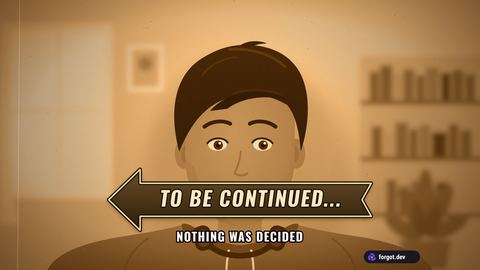
ClickTo be continued
Your picture freezes, turns sepia, and an arrow slides in. Nothing was decided.
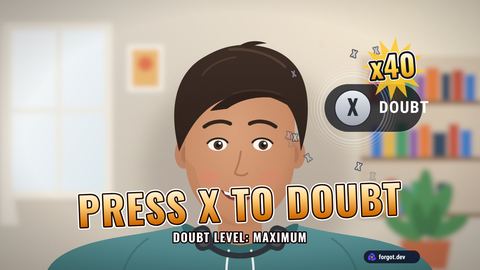
ClickPress X to doubt
The button pops up and gets mashed 40 times before anyone finishes the sentence.
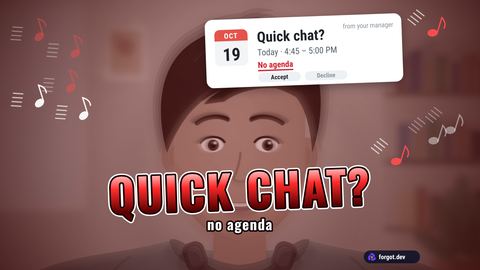
ClickQuick chat?
An innocent calendar invite with no agenda, given the full horror-movie zoom.
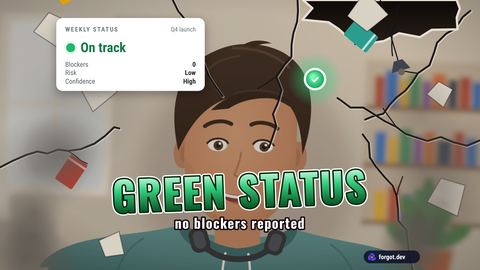
ClickGreen status
A calm green dot says On track while the room cracks and falls apart around you.
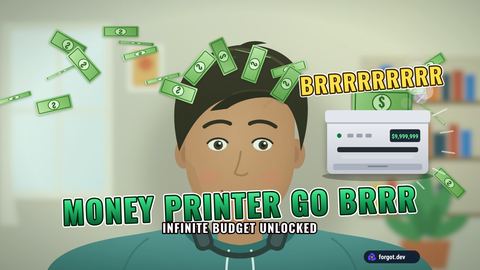
ClickMoney printer go brrr
A printer by your shoulder shakes itself apart spitting out cash.
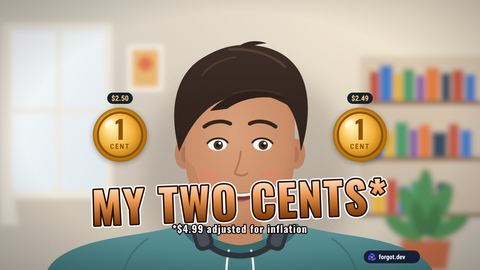
ClickMy two cents
Two pennies drop in. Footnote: $4.99, adjusted for inflation.
Stays on your computer. Nothing to upload.
Your video stays put
Moments, shows and the background cut-out are drawn inside Chrome. No video, picture or name leaves your laptop.
Just another camera
The call app sees On Air camera (Forgot) next to your webcam. Nobody else in the call needs anything installed.
Free, with a small mark
A small forgot.dev mark sits in a corner while something is on screen. That's the whole price.
Questions
Can the others in the call see it?
Yes. Moments are drawn into your camera picture, so everyone in the call sees them, recordings included. A call app's own effects only change what's behind you; On Air plays the reaction on top of you.
Do I have to remember the keys?
No. While the On Air camera is on, a small moments panel sits in your call tab: search, pick a group, click a moment. Drag it anywhere or shrink it to a pill. You can turn it off in the extension's menu.
Which call apps does it work with?
Calls you join in Chrome: Google Meet, Zoom and Microsoft Teams on the web, Slack huddles, Webex and Discord, plus Jitsi Meet, 8x8 Meet and Whereby. Pick On Air camera (Forgot) as your camera.
Does it work in the Zoom or Teams desktop app?
No. Desktop apps don't load Chrome extensions, so they can't see the On Air camera; that goes for the Slack and Discord apps too. Join from the browser instead: Zoom's invite page has a Join from your browser link, and Teams offers Continue on this browser.
Do I need a show?
No. With No show your camera stays clean until you press a key, and the moment plays for a few seconds and gets out of the way. A show is an extra look that stays on all call, like a news ticker or fighting game health bars, with the moments on top.
Why does my own text look backwards?
It doesn't with On Air. Call apps mirror your own preview, so text would read backwards to you, while everyone else sees it the right way round. The extension flips your own preview back while the On Air camera is on.
Does it slow my laptop down?
Moments and shows cost very little. A replaced or blurred background is the heavy part, because it cuts you out of every frame; on an older laptop pick My room and keep just the graphics.
Is my video uploaded anywhere?
No. Everything happens inside Chrome on your computer, including the background cut-out. The extension sends one anonymous ping a day when a camera turns on (no name, no video, no ids), so we know it's being used.
Can I remove the forgot.dev mark?
The small forgot.dev mark is how a free tool pays for itself. Removing it will be a perk for Forgot customers.
What does Fill from my Forgot board do?
Forgot is a team calendar of who's out, who's on call and what's due. If your team uses it, one click fills the news ticker with who's out today and turns the Team Forecast show into this week's real availability.
Made by Forgot, the calendar of who's out.
Forgot puts your team's vacations, public holidays and release dates on one board, so you see who's out before you promise a date. Then Team Forecast fills itself in.