Forgot for Mac
See who's out today without opening a browser.
Forgot for Mac puts a count of who's out in your menu bar. Click it to see today's plan and this week's lanes, and drag in changes on the spot. Your whole calendar gets its own window too.
Version 0.3.2 · macOS 12 Monterey or later · Apple silicon and Intel. Free with your trial or license.
Your team calendar, one click from anything you're doing.
Someone asks who can take a bug, or whether Friday's release is safe. You click the menu bar instead of hunting for a tab.
Who's out, in the menu bar
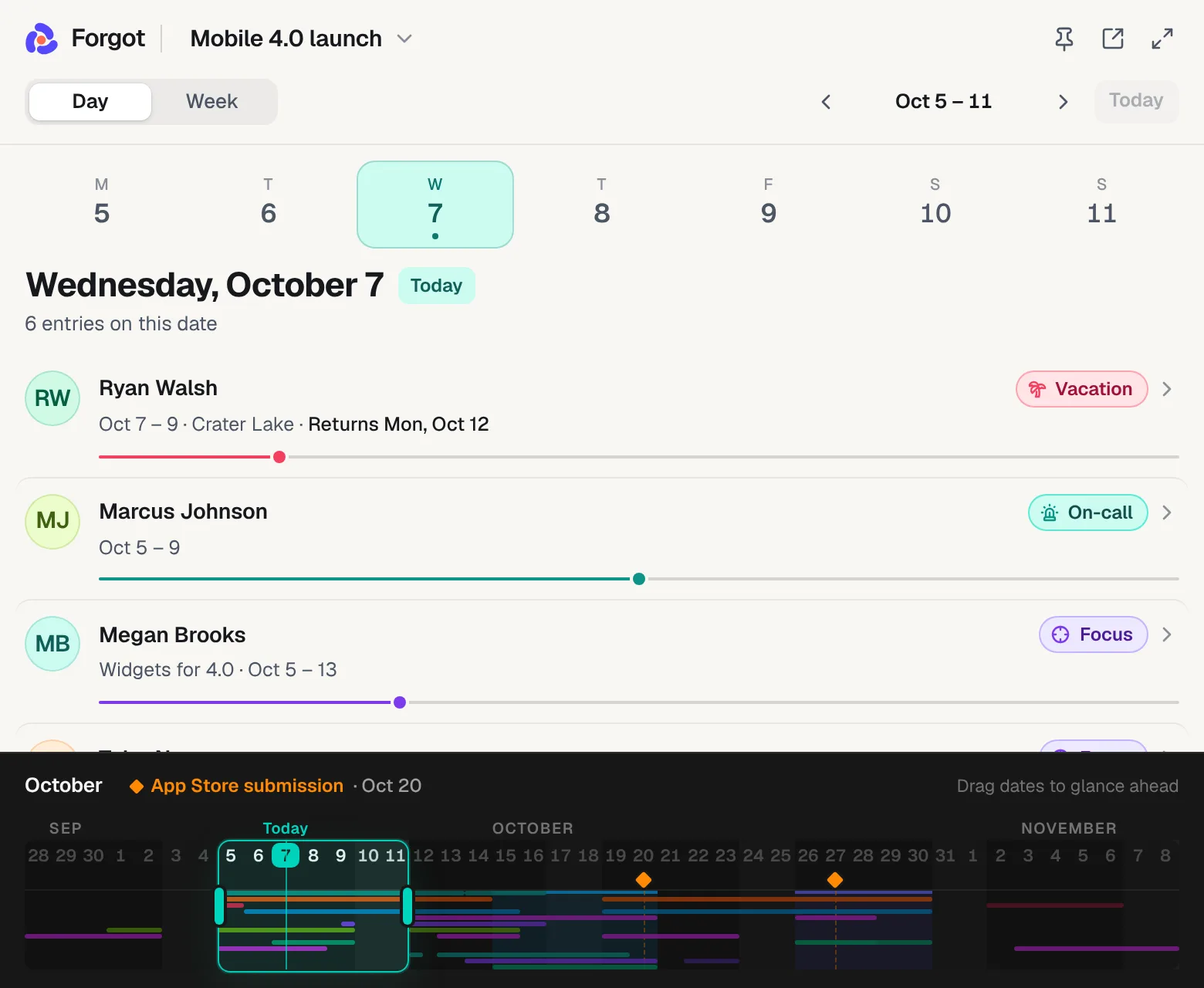
The Forgot icon shows how many people are out today across all your calendars, like “2 out.” Hover it for their names.
Today's plan in one click
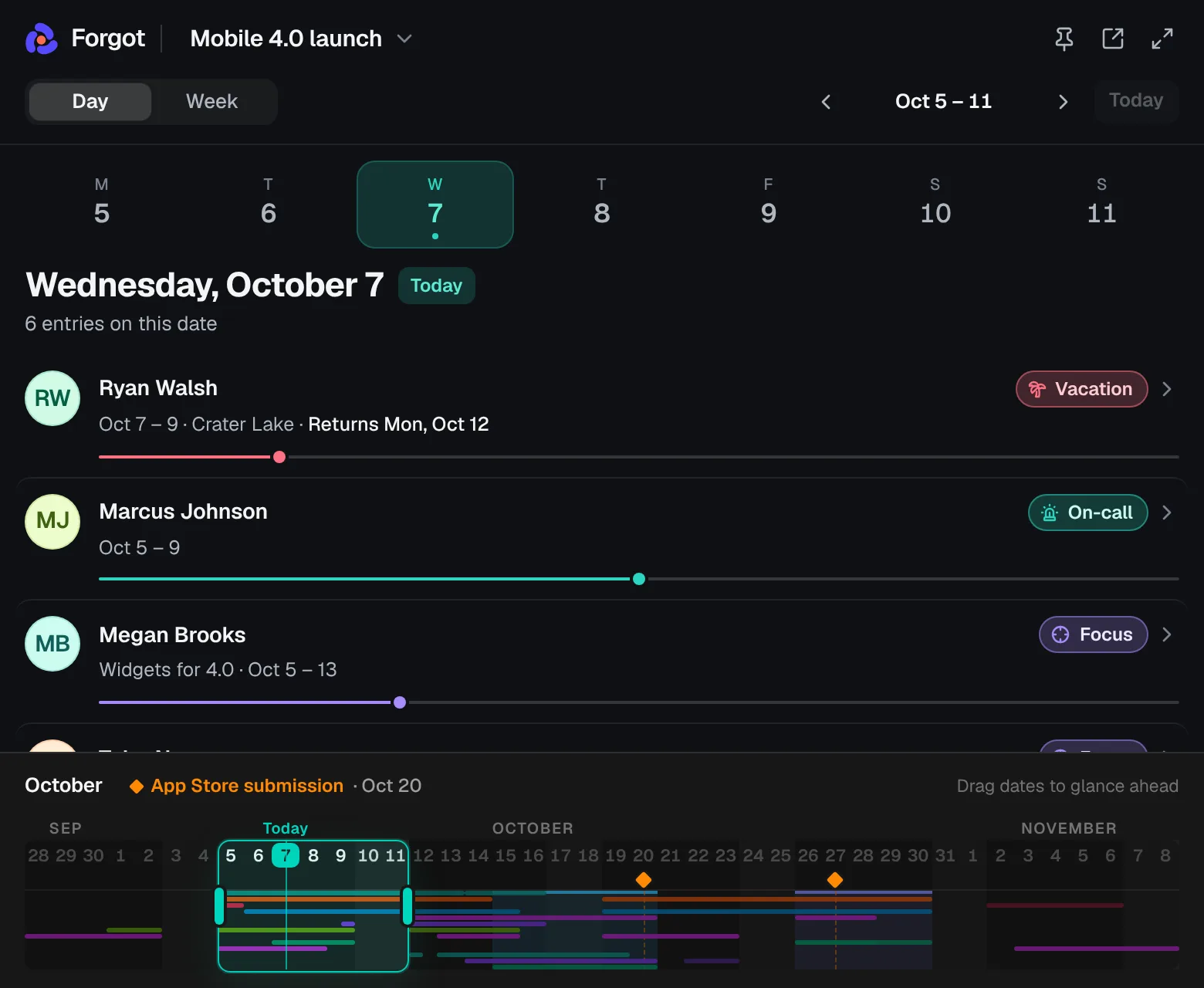
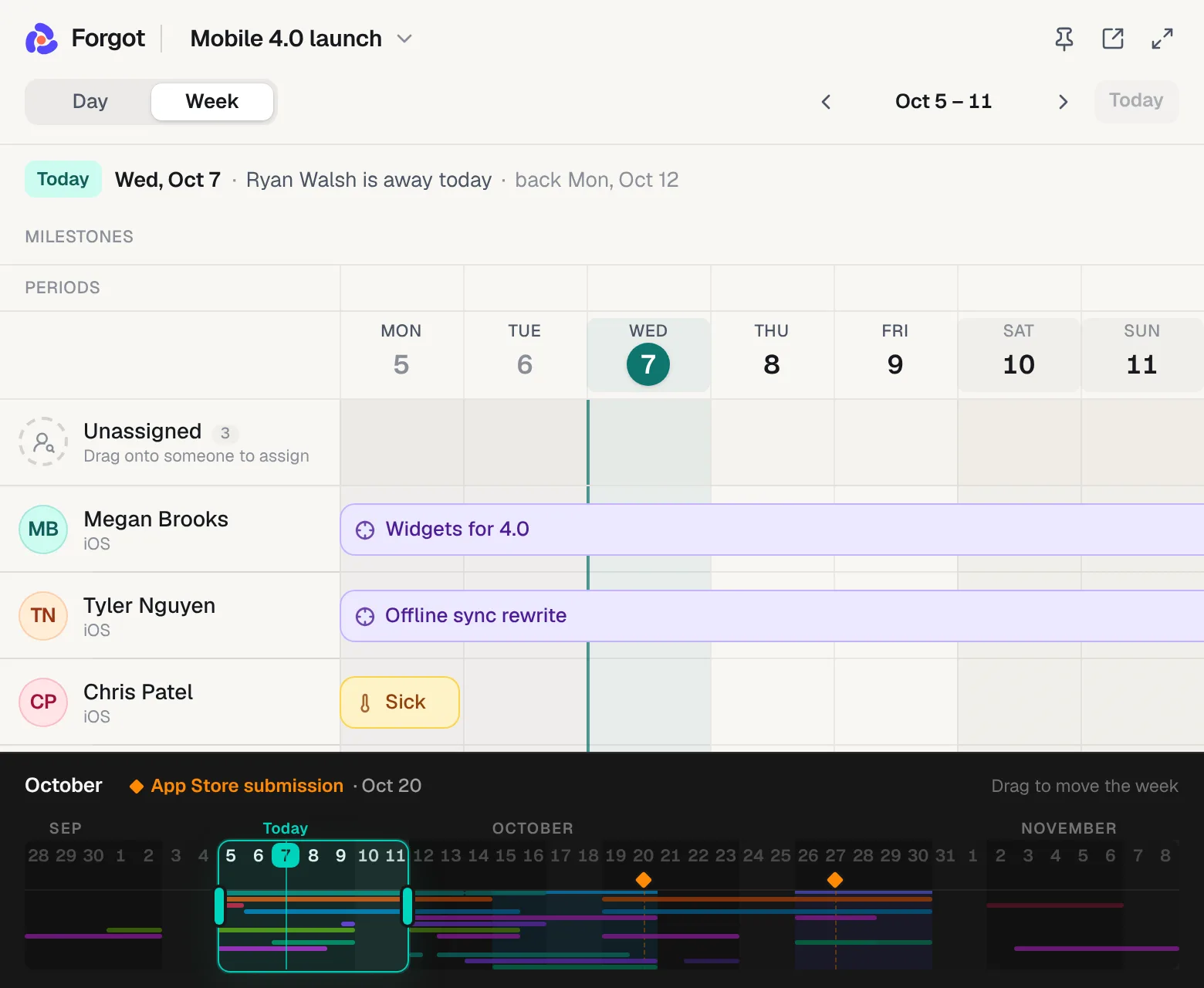
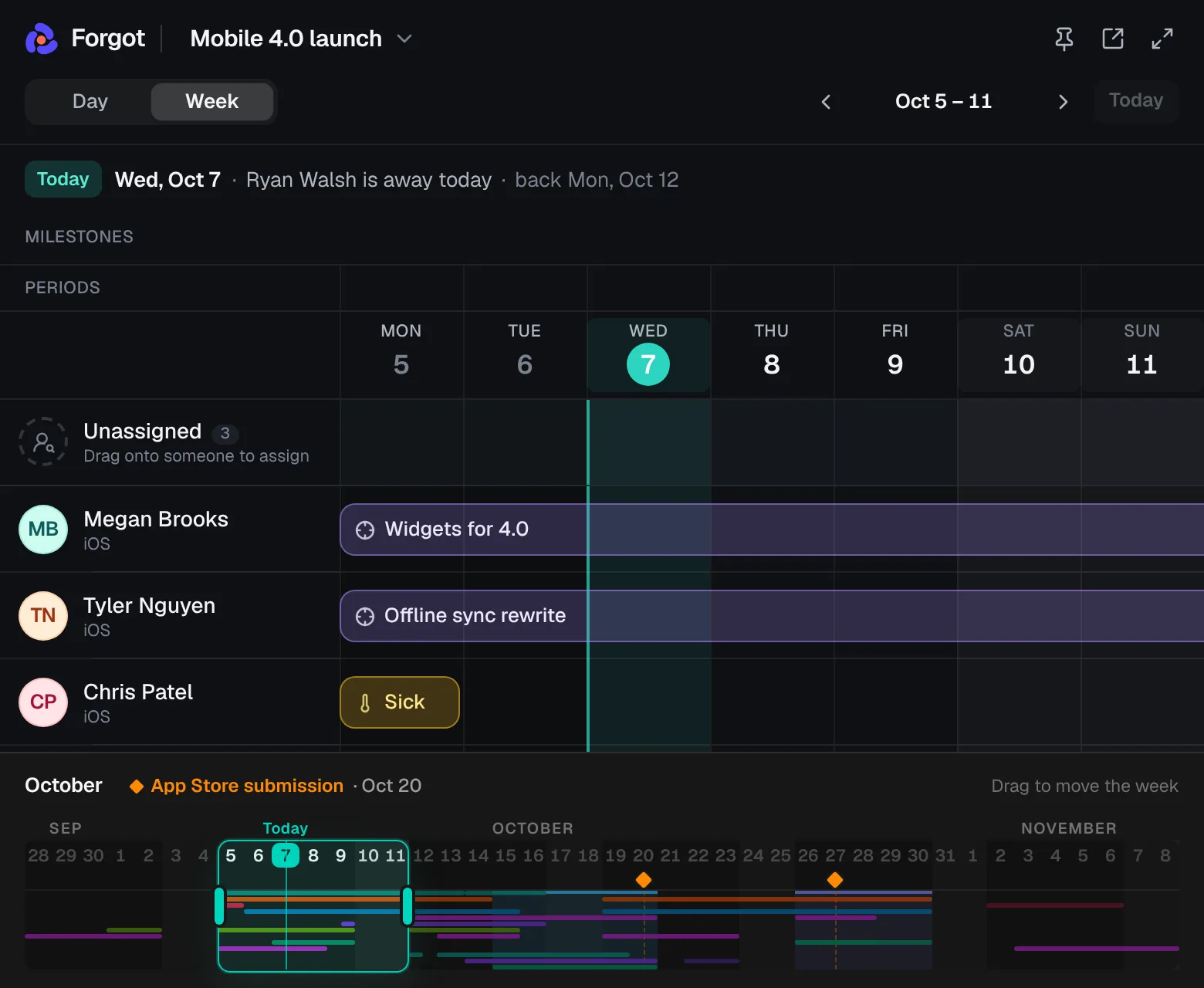
Click the icon for the glance. Day shows who's away, on call or on a project, and when people are back. Week shows everyone's lanes.
Edit without opening a browser
Drag in a vacation, move a bar or assign unassigned work right in the glance. Changes save to the same calendar your team's share link shows.
Keep it open while you plan
The glance hides when you click away. Pin it to keep it on screen in a meeting, and drag its edges to make it the size you like.
A bigger panel when you need it
The expand button grows the glance into a large panel under the icon. Open in Forgot shows the full calendar in its own window.
Feels like a Mac app
Its own window that reopens on the calendar you had open last, ⌘N for a new calendar, ⌘Z to undo, and an Open at Login option.
Install it in a minute. Four steps, once.
- 1
Download and open the file
Click Download for Mac and open
Forgot.dmgfrom your Downloads folder. One app runs on both Apple silicon and Intel Macs. - 2
Drag Forgot into Applications
In the window that opens, drag the Forgot icon onto the Applications folder. Then eject the disk image.
- 3
Allow it the first time you open it
Open Forgot from Applications. macOS says it can't check the app, because it isn't notarized by Apple yet. Close that message, open System Settings → Privacy & Security, scroll down to Security and click Open Anyway next to the line about Forgot. Confirm with your password or Touch ID. You only do this once.
- 4
Sign in with your browser
Click Sign in with your browser. Your browser opens forgot.dev, where you sign in as usual, then asks to open Forgot. Allow it and you're in. No new account and no password.
Prefer the Terminal? After dragging Forgot into Applications, run xattr -dr com.apple.quarantine /Applications/Forgot.app and it opens without the warning.
Using it day to day
- Check who's out
- Glance at the count next to the icon. It covers all your calendars, so it can be higher than one calendar shows. No count means everyone's in.
- Open the glance
- Click the icon. Pick Day or Week, step through dates with the arrows or the month strip, and switch calendars from the name at the top. All boards shows every calendar at once.
- Make a change
- In Week, drag across someone's row to add a bar, drag a bar to move it, or click one to change it. ⌘Z undoes. In Day, click an entry to see it in the full calendar.
- Work in the full calendar
- Click Open in Forgot in the glance, or pick Open Forgot from the icon's right-click menu. The window opens where you left off.
- Start it with your Mac
- Right-click the icon and turn on Open at Login, so the count is there every morning.
- Get a new version
- When a notification says a new version is out, click it to download, then drag the new app into Applications to replace the old one.
Questions
Stuck installing? Email hello@forgot.dev
Does the Mac app cost extra?
No. It works during your 14-day free trial, and your lifetime license covers it. It's the same account and the same calendars as forgot.dev.
Why does macOS warn me when I first open it?
Apple asks developers to pay for a yearly membership before it checks (notarizes) their apps. Forgot is built by one person and isn't notarized yet, so macOS asks you to allow it once in Privacy & Security. The app is a window onto forgot.dev: your calendars live on the server, not in the app.
How do I get updates?
Most changes reach the app on their own, because it shows forgot.dev. When a new app version is out, you get a notification and the Forgot menu shows “Download Forgot” with the new version. Download it and replace the old app in Applications.
Is there a Windows or Linux app?
Not yet. Forgot works in any modern browser on Windows and Linux, with the same features. If you'd use a Windows app, email hello@forgot.dev.
Does it work offline?
It needs an internet connection to load and save. If you go offline, the menu bar keeps the last count until you're back.
Does my team need it?
No. Only you edit your calendars. Your team and your manager keep using the read-only link in any browser.
How do I remove it?
Quit Forgot from the menu-bar icon (right-click, then Quit Forgot) and drag it from Applications to the Trash. Your calendars stay on forgot.dev.
Know who's out before anyone has to ask.
No account yet? Start the free trial, then sign in from the app with the same email.