Changelog
Updates
What's new in On Air, the camera reactions extension for Meet, Zoom and Teams. Want something that isn't here yet? Suggest it on the roadmap.
Nov 4, 2026New
On Air: keep your camera off and still play moments
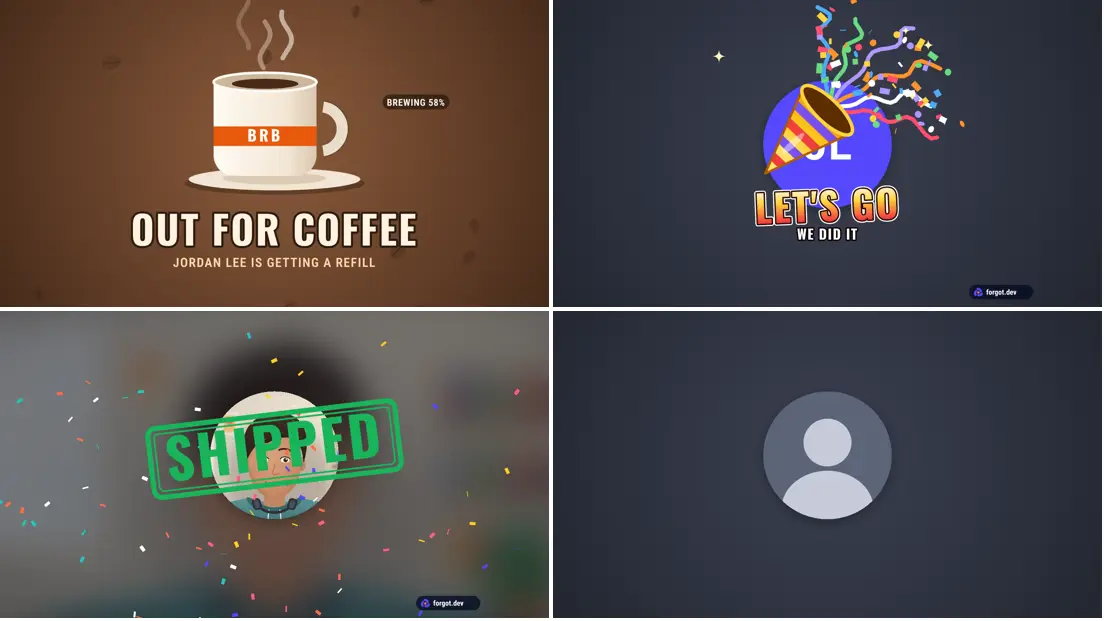
On Air 1.0.17 lets you keep your camera off and still play moments, and adds an Out for coffee be right back screen.
Camera off, effects on. Pick Initials, Avatar or My photo under Camera (in the call panel, the extension menu or on the editor page). The call sees that tile instead of you, the way call apps show someone with their camera off, and moments, shows and be right back still play over it. A ring pulses around the circle while you talk.
Your camera really is off. The extension closes your camera, so its light goes out. Pick My camera to turn it back on, mid-call.
Out for coffee. A new be right back screen: a mug fills up while you are away, and says when the coffee is ready.
Your photo stays in the extension on your computer, like your other pictures.
Nov 4, 2026New
On Air: votes, a 1 to 10 score, seven be right back screens and team packs
On Air 1.0.16 adds quick votes for meetings, a 1 to 10 score you pick on the spot, seven be right back screens, and team packs.
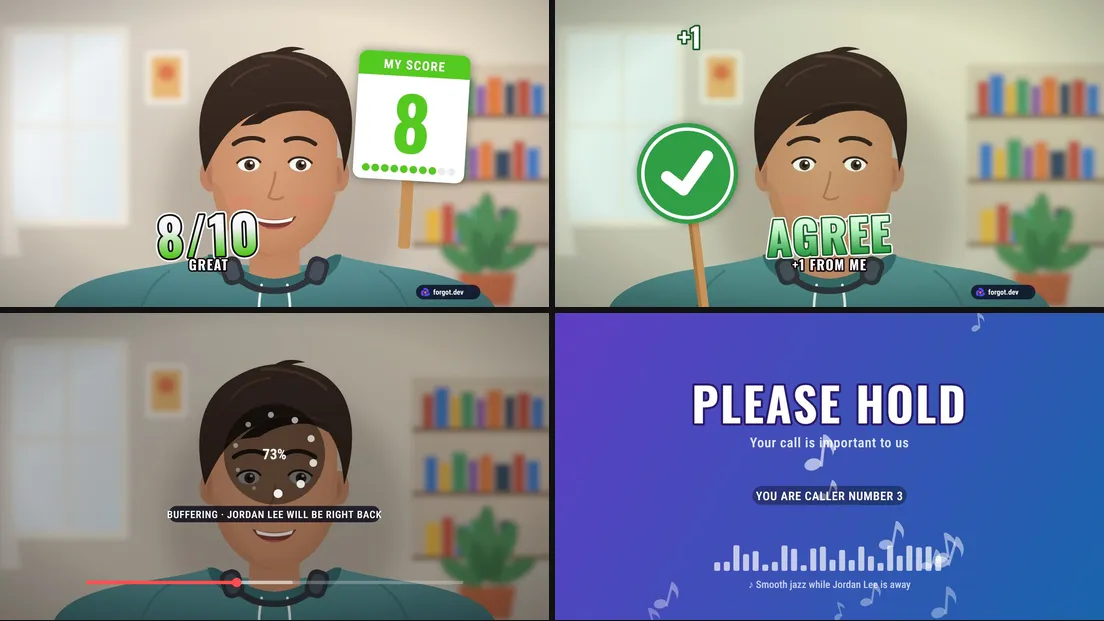
Votes. Agree and Disagree on a voting paddle, Like and Dislike on a big button with a counter. A new Votes group sits right after Call basics.
Rate it 1 to 10. One moment, ten colored buttons: pick a score and a judge's scorecard flips up with it. Low scores get "OOF", a 10 gets "CHEF'S KISS".
Seven be right back screens. The BRB button now has a menu: color bars, Buffering (a few seconds of your camera loop under a spinner), Frozen (you, stuck mid-frame, with an "unstable connection" toast), Back in 5 (a countdown that keeps counting when you are late), Please hold (smooth jazz and a caller number), Screensaver (a bouncing BRB that sometimes hits the corner) and Out to lunch.
Team packs. Pick your team's moments and words, copy a link, and anyone who opens it gets them as a Team tab in their call panel.
Buffering and Frozen keep a few seconds of camera frames in memory only, and only while one of them is picked. That makes 287 moments.
Nov 3, 2026New
On Air: clips, a talking-on-mute sign and 44 new call moments
On Air 1.0.15 adds 44 moments for the things that happen on every call, and four tools that work on their own.
Make a clip. Press Clip, fire a moment, and On Air saves a short video of your camera with a "Made with On Air" card at the end. Download it, or turn it into a GIF for Slack in one click. Clips stay on your computer.
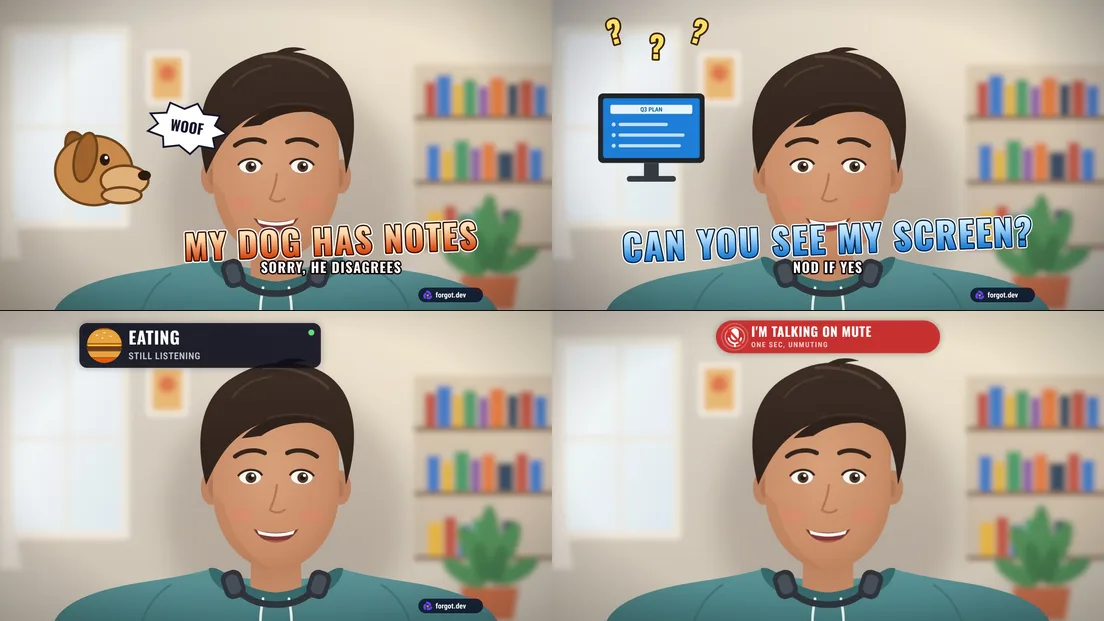
Talking on mute sign. Start talking while the call has you muted and a sign goes up on your camera saying so. On Air only checks how loud the mic is, never what you say.
Be right back when you leave. Turn it on and the BRB screen goes up after 5 seconds out of frame, and comes off when you sit down.
Meeting cost ticker. A running total in the corner of your camera: set the head count and an hourly rate in any of 16 currencies.
Six new groups. Life happens (dog barking, kid cameo, doorbell, cat on keyboard), Screen share (can you see my screen, wrong screen, you are sharing your chat), Talking over (no, you go, echo, you are breaking up), Start and end (waiting for people, who is taking notes, awkward goodbye), Status cards that stay up until you turn them off (eating, on a walk, kid on lap), and Demo day (demo gods, it worked 5 minutes ago, ta-da).
That makes 282 moments. All the new ones are in the call panel and on the On Air page.
Nov 3, 2026Improved
On Air: preview and edit moments and shows right in the call
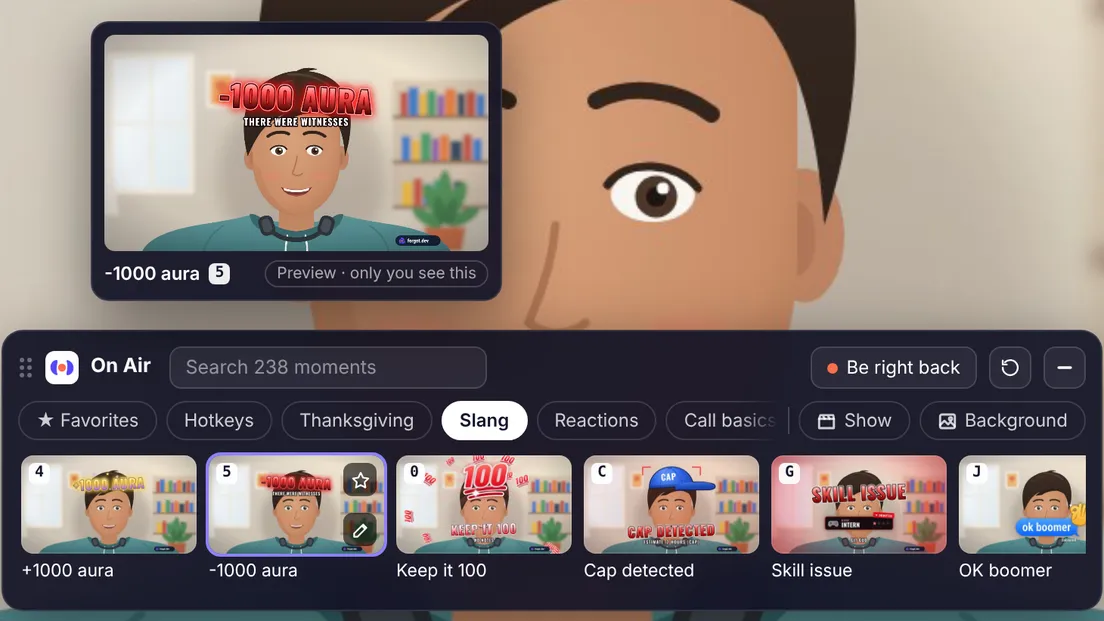
On Air 1.0.14 lets you change everything from inside the call. Point at any moment in the call panel and a private preview plays above it, with your own words, on a stand-in camera only you see. Click and it plays live. No more opening the website mid-meeting to change a line.
Change a moment's words in the call. Every tile has a pencil. It opens Big words and Small line right in the panel (or the toolbar menu), with a looping preview that follows each keystroke, a Play live button and Reset to default. Tiles with your own words get a small dot.
Edit your show without leaving. Click the show you are on (or its pencil) to change its colors, text size and every line: headline, ticker, opponent, forecast, chat, narrator. Dice fill in a random joke.
Easier to find. Every moment now has a group, the hotkey ones too (16 of them form a new Slang group), so nothing hides under Hotkeys any more. Hotkeys and Favorites are filters, the pack in season comes first, and search also looks through the words on each moment.
No show and No background come first in their lists, in the call panel, the toolbar menu and on this site.
Reset everything. One button takes the words, show and background back to how they came. It keeps your name, favorites and uploaded picture, and offers Undo for ten seconds.
A tidier toolbar menu. Moments, Show and Background tabs, search, and a group row, with the same previews and editors as the call panel.
Oct 29, 2026New
On Air: five 3D toys and much bigger meme classics
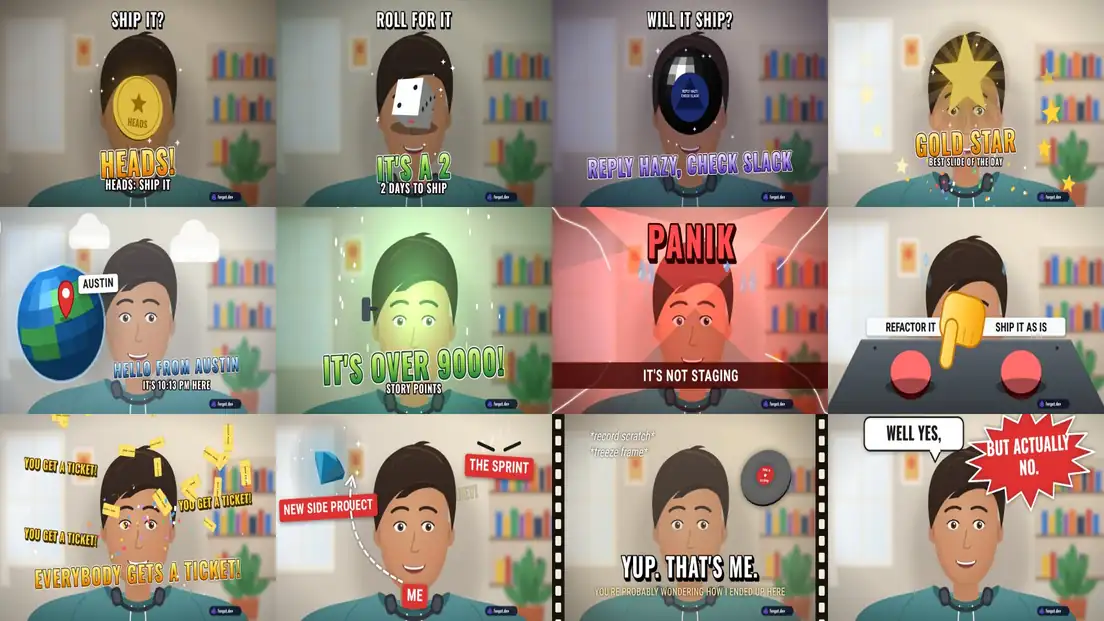
On Air 1.0.13 makes the meme classics much bigger and louder, and adds five 3D toys. Every meme now has a hero drawing, lands with a flash or a shake, and carries words you can read from across the room. The toys are real 3D: lit polygons drawn in perspective on your camera, with results picked when you fire them, so everyone on the call sees the same one. 233 moments become 238. Chrome updates the extension for you.
3D toys. Coin flip (HEADS: ship it / TAILS: next sprint, your words), Dice roll (it tumbles in and lands on a number that fills in your line, like 4 story points), Magic 8-ball (shake, turn, and the window says OUTLOOK NOT SO GOOD), Gold star (employee of the minute) and Hello from (a globe spins to a stop, a pin drops on your city from Team Forecast, and the time there).
Meme classics, reworked. PANIK gets alarm beams, sweat and cracks; the scouter shatters at over 9000 and a green aura rises off you; two red 3D buttons on a console; Nah / Yeah as full-width bands with a cross and a check; a spinning gem for the distracted look; a gold ring beside you for One does not simply; a real vinyl record that stops dead; tickets that tumble in 3D; question marks that orbit your head; and a comic burst for But actually no. The long NOOOO got solid 3D letters and sound waves, Nobody: / Me: a flash and a bigger bubble, and the rest bigger words and a proper landing.
The panel in your call does more. Every moment tile has a star now, so you can favorite one the second it lands, and the chip row ends with Show and Background: switch to Breaking News, blur your room or put the studio behind you without leaving the call. The toolbar menu got the same star and background tiles.
Under the hood. A small 3D toolkit draws a few hundred shaded faces a frame, well inside what a live camera can spare, so nothing stutters.
Oct 23, 2026New
On Air: 20 meme classics, starting with the long NOOOO
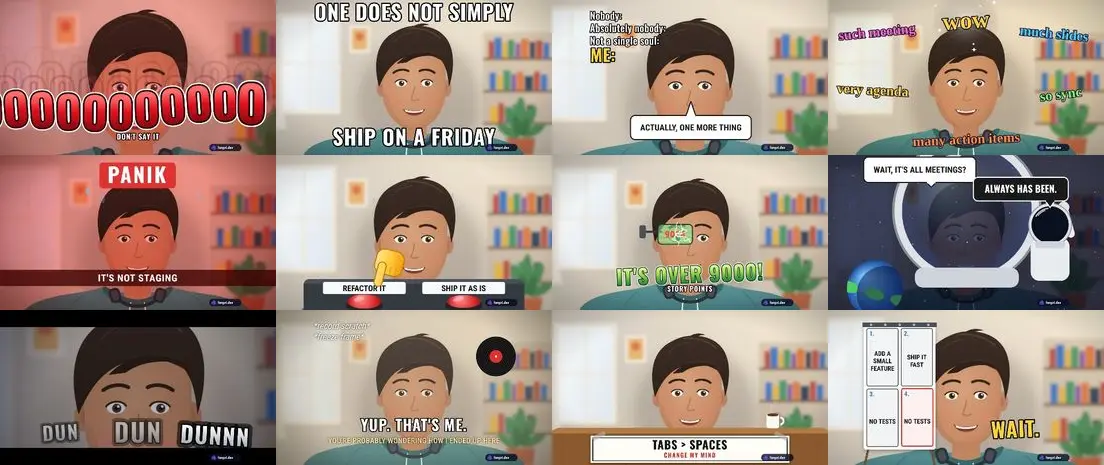
On Air 1.0.12 adds a Meme classics group: 20 moments in the spirit of the reaction memes everyone knows, rebuilt from their text and timing with our own drawings, so nothing is copied and every one takes your own words. 213 moments become 233. Chrome updates the extension for you.
The long no. NO slams in and then the O's keep coming, the camera pushes in on you, the room goes red and the line runs off the edge of the frame. Change the word and it repeats its last letter instead.
Text classics. A classic top-and-bottom caption (ONE DOES NOT SIMPLY / SHIP ON A FRIDAY), Nobody: / Absolutely nobody: / Me: with your line in a speech bubble, such meeting / much slides / wow, X. X everywhere, Well yes, but actually no, and a record-scratch freeze frame with Yup, that's me.
Scenes. Panik / Kalm / Panik in three beats, two red buttons with a trembling hand, Nah / Yeah panels, a scouter over your eye that counts to 9000 and cracks, a space helmet and an astronaut behind you (Always has been), DUN DUN DUNNN with three hard zooms, a table banner that says Change my mind, and a flip chart where the fourth panel repeats the third.
Reactions. Distracted (three labels and a dashed look), You get a ticket! for everyone, Fine, I'll do it myself with a snap, Is this a deadline? with a butterfly, and Visible confusion.
Oct 23, 2026New
On Air: 68 new moments, and four that read your team calendar
On Air 1.0.11 is the biggest drop yet: 68 new moments, from 145 to 213. Call basics for every meeting, a second round of emoji, packs for Halloween through New Year, and four moments that read your Forgot board. Chrome updates the extension for you.
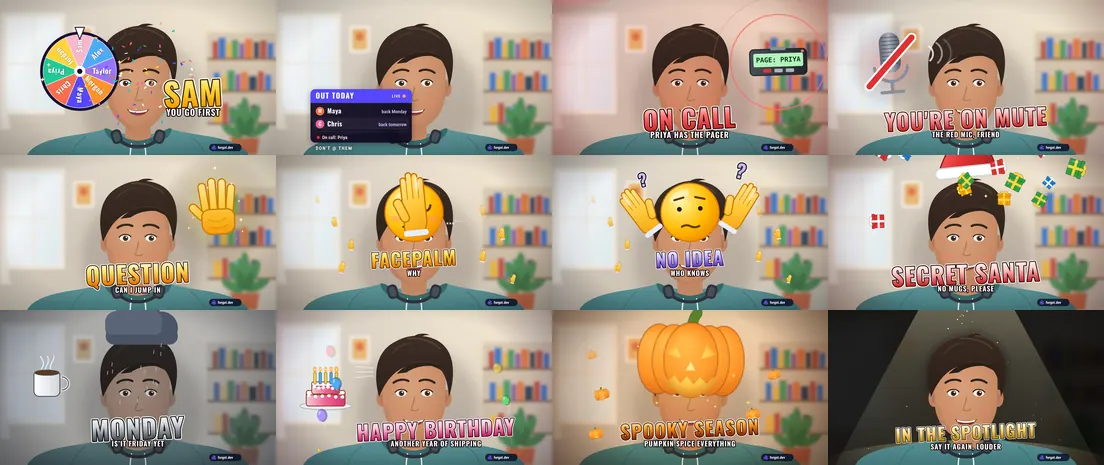
From your board. Pick a name spins a wheel of your team and lands on someone (for who demos first). Who's out today is a lower third with who's away and when they're back. Out of office shows the day you're back, and On call puts the pager in the hand of whoever your board says has it. Press "Fill from my team calendar" on the On Air page and they use your real names.
Call basics. You're on mute, Raise hand, Wrap it up, You froze, Can't hear you, Next slide, Take it offline, Decided, Action item, Hard stop, Gotta run and Wasn't me: the twelve things you say in every meeting, now one key away.
Emoji, round two. Facepalm, shrug, salute, pray, melting, sleeping, wave, popcorn, nerd, clown, see no evil and trophy, each with its own motion and words you can change.
Halloween. Behind you, Boo, Trick or treat, Pumpkin, Bats, Zombie, Haunted and Vampire, plus six effects that work on your real picture: Spotlight, Glitch, Dissolve, Tiny, Clone and Wanted poster.
Occasions. Thanksgiving (Grateful, Pass the gravy, Food coma, Turkey, Leftovers, Deploy freeze), year end (Let it snow, Secret Santa, Code freeze, Last standup, New backlog, Year in review), New Year, Monday to Friday, and people moments: Birthday, Work anniversary, Welcome, Last day, Promoted and First day back.
Oct 22, 2026New
On Air: 12 animated emoji reactions, with your own words
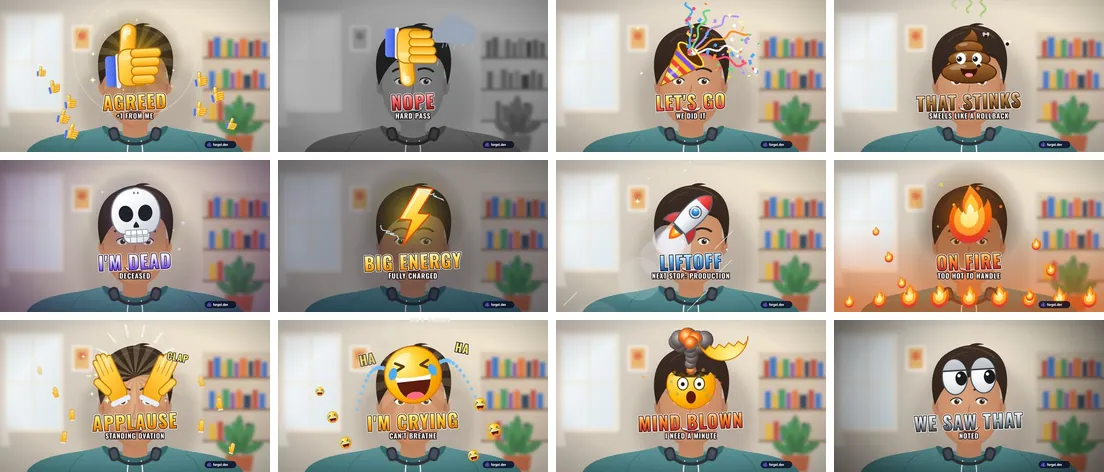
On Air 1.0.10 adds 12 emoji reactions, for when you want to say something in a meeting without unmuting. Each one has its own animation and words you can change. Chrome updates the extension for you.
Twelve new reactions. Thumbs up, thumbs down, party popper, poop, skull, zap, rocket, fire, clap, crying laughing, mind blown and eyes, each with its own motion: the thumbs down drags a rain cloud in, the rocket lifts off, the mind-blown head goes off like a mushroom cloud.
Your words on them. Thumbs up says AGREED until you make it say LGTM. Change the words for any of them in the editor on the On Air page.
First in line. They have their own Emoji group, right after the hotkeys, in the moments panel in your call and in the toolbar menu.
Oct 22, 2026Improved
On Air: click moments right in your call, now in Zoom and Teams too
On Air 1.0.9 is in the Chrome Web Store. Chrome updates it for you and may ask you once to accept the new call sites.
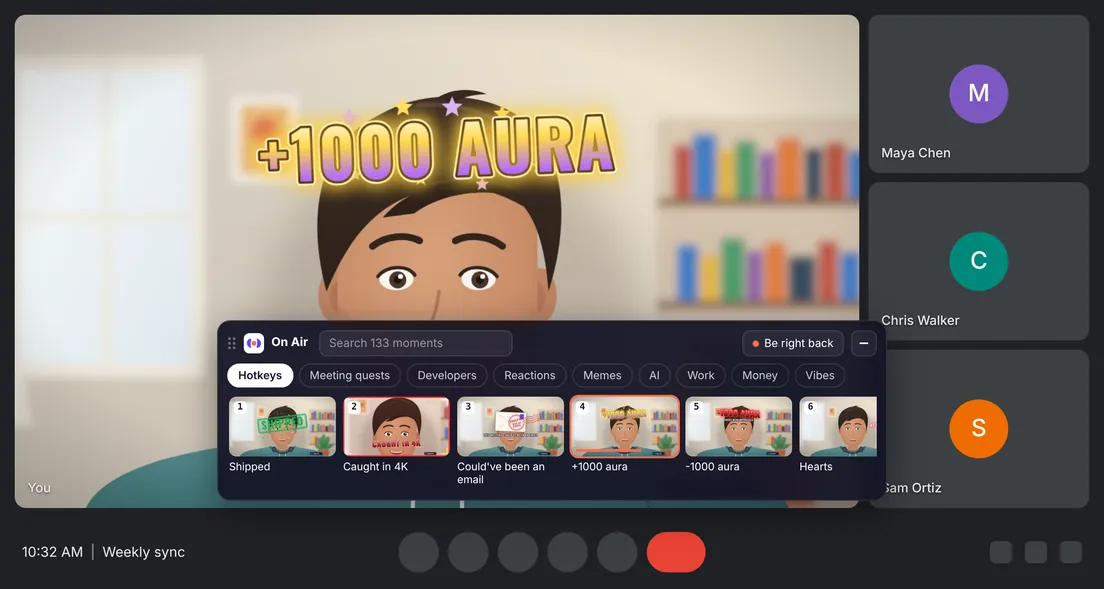
Click moments in the call. While the On Air camera is on, a small panel sits at the bottom of your call tab with all 133 moments: search, pick a group, click. Drag it anywhere or shrink it to a pill, and the keys still work.
More than Meet. Pick On Air camera (Forgot) in Zoom and Microsoft Teams on the web too. Desktop call apps don't load Chrome extensions, so join those calls from the browser.
Moments first. The toolbar menu puts your favorites and the moments before the shows, and a fresh camera stays clean until you press one.
Nothing cut off. Moments stay inside the part of your picture that a grid tile shows, at every text size.
Oct 20, 2026New
On Air is in the Chrome Web Store
On Air, our free camera reactions extension, is live in the Chrome Web Store. Add it, pick On Air camera (Forgot) as your camera in Google Meet and press Alt+Shift+1 (Option+Shift+1 on a Mac): SHIPPED stamps across your picture, for everyone in the call.
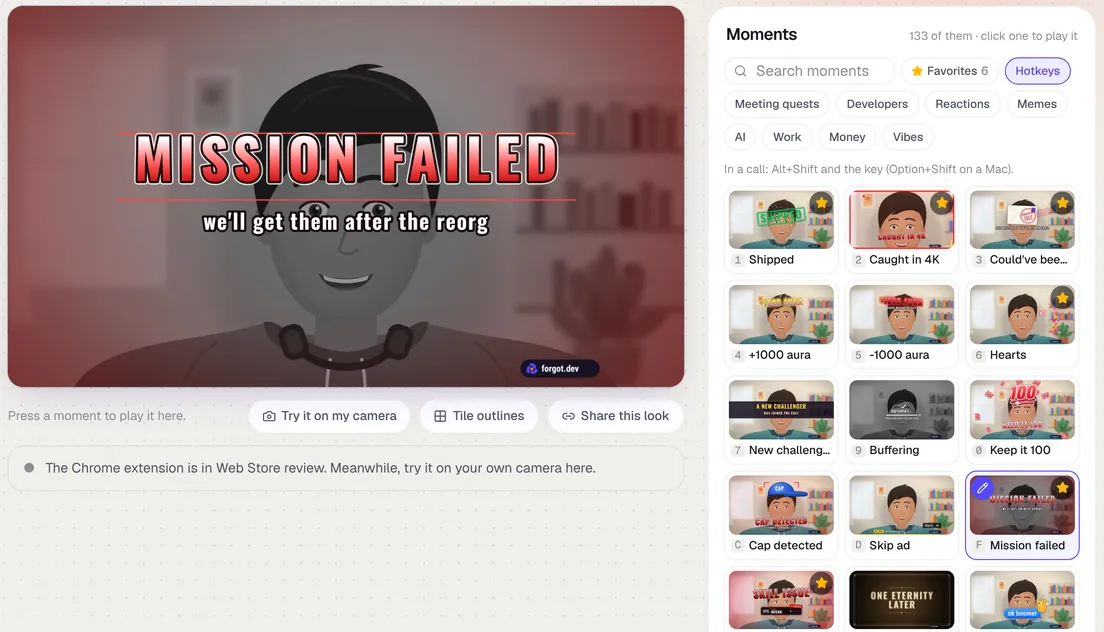
133 moments. Caught in 4K, Could've been an email, Big W, This is fine and 129 more. 38 have their own key, and the rest are a click away in the toolbar menu.
Your own words. Change what any moment says and star your favorites. Try them all on a sample camera first, or on your own.
Its own name and page. On Air now lives at forgot.dev/on-air with its own logo, moments first. Shows like Breaking News and Fight Night are an optional extra.
It's free, with a small forgot.dev mark in the corner, and nothing is uploaded: it all runs inside Chrome on your computer.
Oct 19, 2026New
On Air: turn your Meet camera into a news channel
On Air is a new free tool: news, game and weather graphics drawn on your own camera in Google Meet, so everyone in the call sees them. It also works in the browser versions of Zoom and Teams.
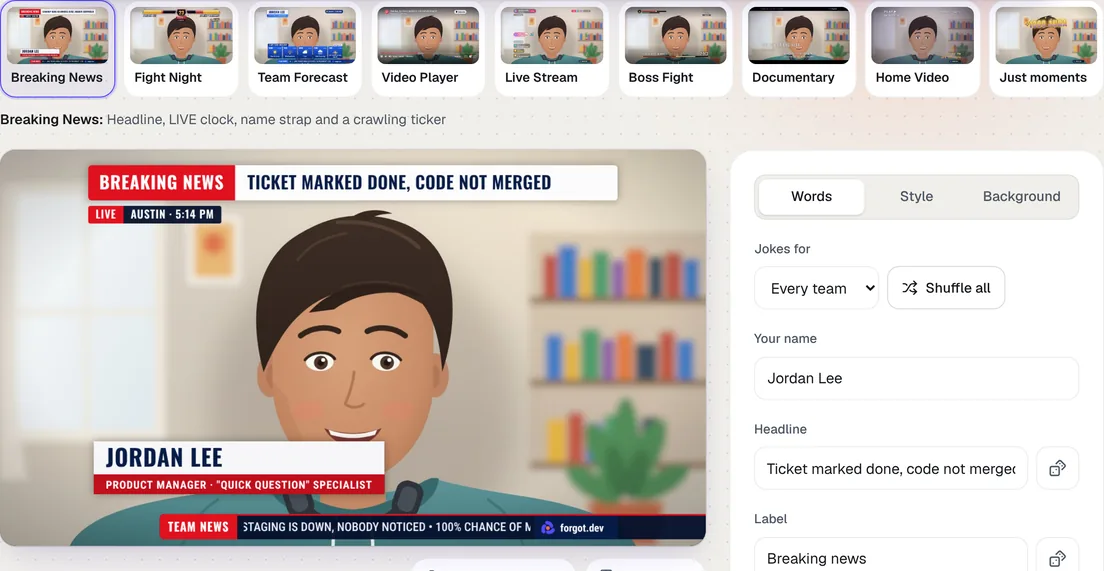
Eight shows. Breaking News with a headline, name strap, ticker and picture box. Fight Night, where your health bar drains with the meeting clock and every finished agenda item hits the meeting's. Team Forecast, your team's week as a five-day weather report. Video Player, where Buffering freezes your picture and drops it to 144p. Live Stream with chat and gifts, Boss Fight against the meeting, a nature Documentary about you and an old Home Video tape. Or pick Just moments for a clean camera.
100 moments. SHIPPED, Caught in 4K, Could've been an email, plus or minus 1000 aura, Buffering, Big W, Let them cook, NPC, Stonks, Make it rain, Delulu, Vibes 10/10, Side quest unlocked, Scope has entered the chat, git push --force, It was DNS, Works on my machine, DROP DATABASE, You're absolutely right, Left on seen, This is fine, NO and more than 75 others, plus a be-right-back screen, on Alt+Shift and a key or a click.
Dice for every line. Almost 600 ready-made lines for dev, product, design, marketing, sales and leadership teams.
Backgrounds. A news studio, an arena, a weather map, a spreadsheet, blur or your own picture, cut out right on your computer.
Fill from your board. On Forgot already? One click puts who's out today in the ticker and turns Team Forecast into your team's real week.
The Chrome extension is in Web Store review. Until it's approved, the page shows a live preview and lets you try it on your own camera.