Changelog
Updates
New free tools for teams: planners, templates, generators and meeting helpers. Want something that isn't here yet? Suggest it on the roadmap.
Oct 22, 2026Improved
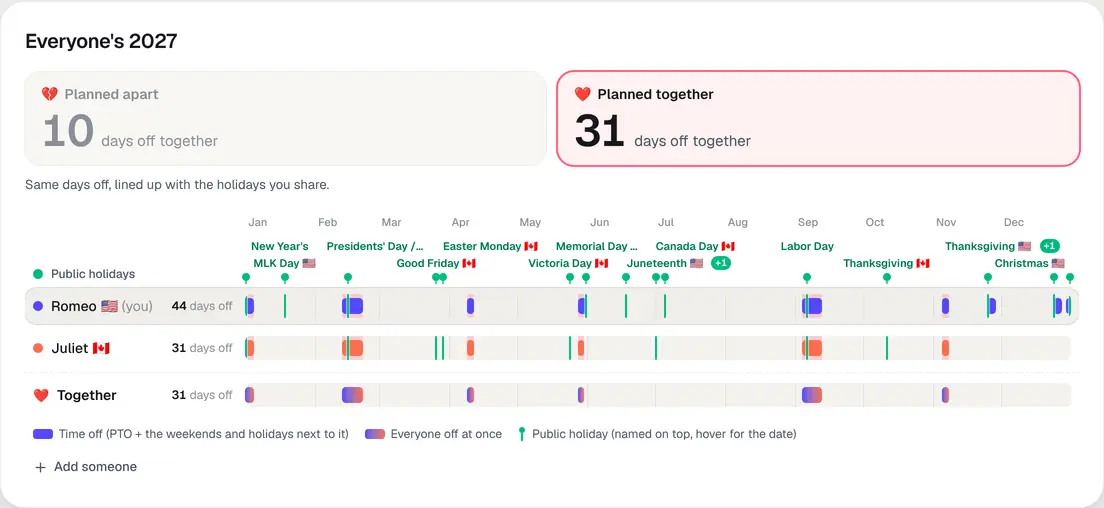
Off together: see the days you gain by planning together
On a shared PTO plan set to Off together, two big numbers now sit on top: the days you'd all be off at once if each of you planned alone, and the days you get planning together. Tap either one to see those plans below and watch the breaks slide into line.
A Together row. Under everyone's rows, one more row shows only the days you're all off, and those days light up behind each person's breaks too.
Holidays, named. Each public holiday is named along the top, with a flag when only some of you have it, and its green line runs down the rows of the people who get it. Hover a line for the name and date. Where names crowd, a +1 opens the full list.
What the marks mean. A legend under the strip: bars are time off (PTO plus the weekends and holidays next to it), green lines are public holidays, and the two-color bars are days everyone is off.
Fixed: a plan link where someone has another country's holidays opens for everyone again. Before, it could fail to load until you refreshed in the same tab.
Oct 21, 2026New
Plan time off together on one link
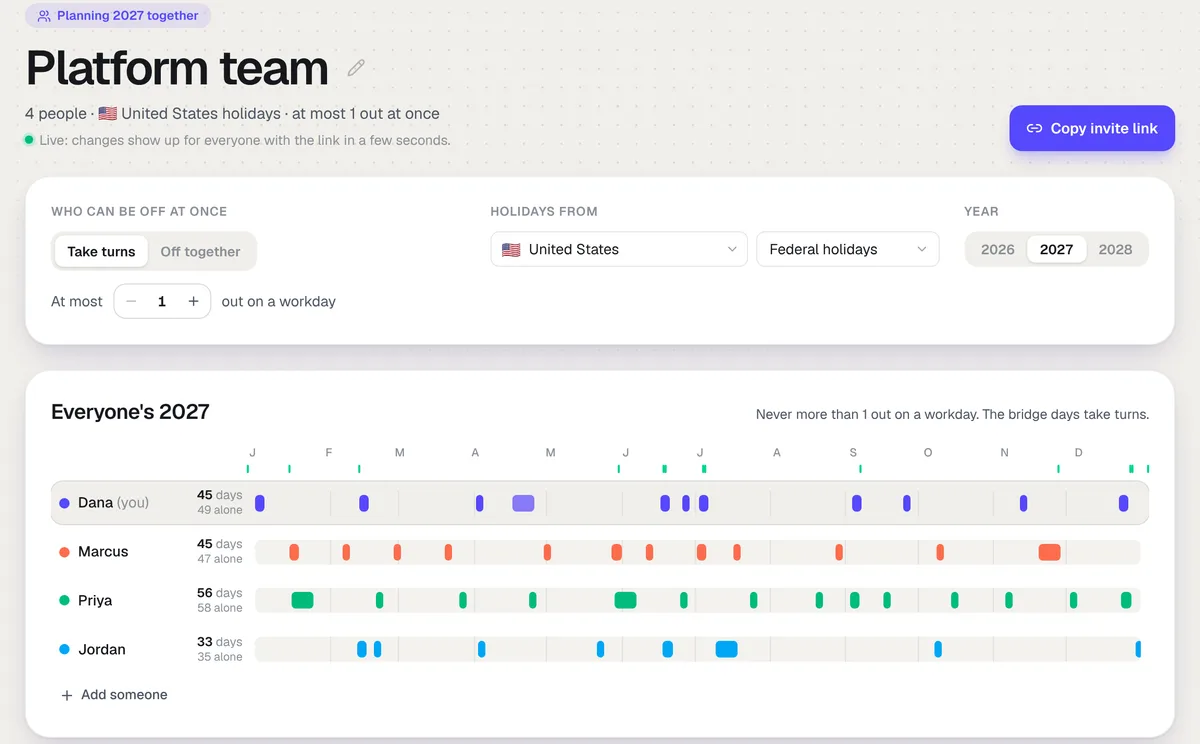
The free PTO planner can now plan a whole team's year, or yours and your partners, on one link. Click Plan with others under your plan, name it, and send the link. Everyone who opens it adds their name and PTO days, and the plans change for everyone within a few seconds. No account needed.
Take turns. For coworkers: set how many people can be out on a workday, and the planner deals the bridge days around the holidays so nobody gets all the good ones. Each row shows what that person gets next to what they'd get planning alone.
Off together. For couples and friends: everyone gets the same breaks, sized to the smallest allowance, and then plans the days they have left.
Booked days still count. Each person can mark the vacation they already booked and the days they can't be off, and the rest of the plan works around them.
Put it on a team calendar. When the plan looks right, one click turns it into a Forgot calendar with everyone, their breaks and their public holidays already on it.
Oct 21, 2026Improved
The PTO planner plans around days you already booked
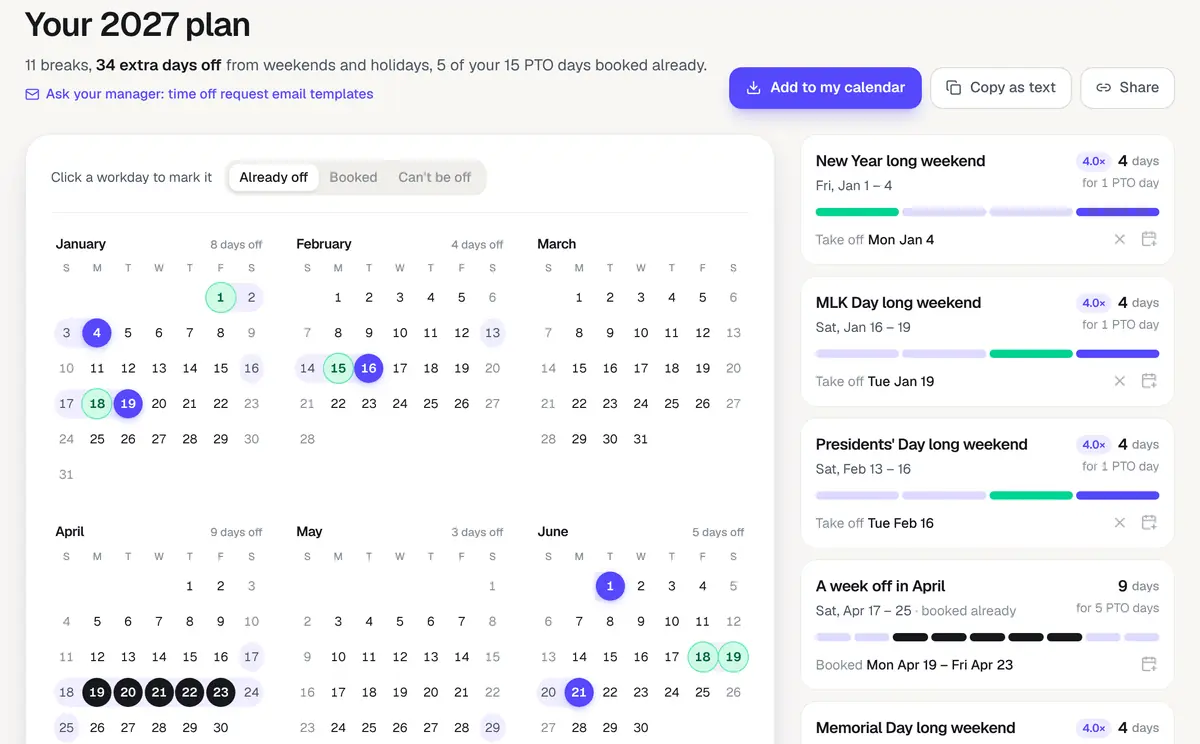
The free PTO planner now plans around the time off you already have. Above the calendar, pick Booked and click the days you already put in for, or pick Can't be off and click the days you need to be at work. The plan counts booked days against your PTO and builds the rest of the year around them.
The rest goes where it counts. Book a week in April and the planner counts it as one of your vacations, then spends what's left on the best bridge days around the holidays.
Turn down a break. Click the × on any suggested break and the planner finds another way to spend those days.
The math is on the page. The headline now shows how it adds up: your PTO days plus the weekend and holiday days they connect.
India uses the central government list. The planner now starts from the official holidays for central government offices, the same list as the team holiday calendar.
When the plan looks right, there is a link under it to time off request email templates for asking your manager.
Oct 17, 2026New
The meeting cost calculator, in your currency
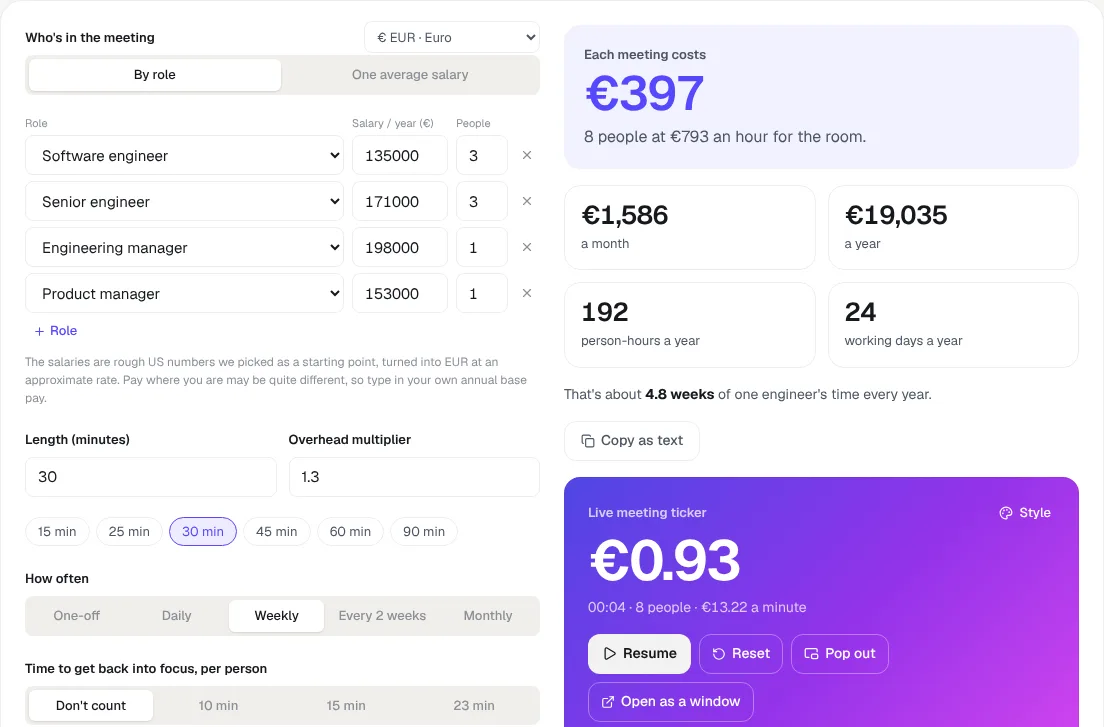
The meeting cost calculator counts in your currency now: euros, pounds, Canadian and Australian dollars, rupees, francs, krona and more, 16 in all.
It guesses, you choose. The calculator starts in the currency your browser suggests (euros in Germany, pounds in the UK, dollars in the US) and remembers what you pick.
The salaries follow. Switch currency and the salaries carry across at a rough rate, so the numbers stay sensible. Pay differs a lot between countries, so type in your own.
The live ticker too. The ticker, its floating window and the window you share all count in the same currency, and the link keeps it.
Oct 17, 2026New
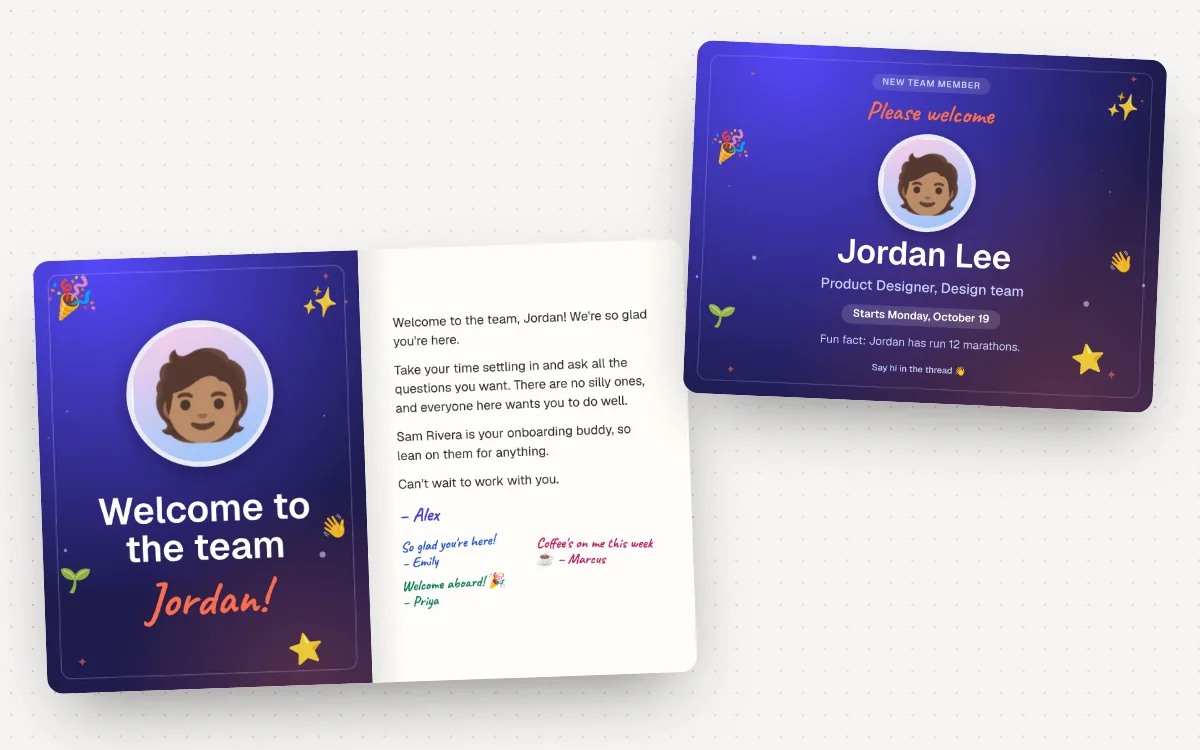
Welcome, promotion and farewell messages, with a card the whole team signs
A new free tool for the messages around people joining, moving up and leaving. Pick what's happening (a new hire, a promotion, someone leaving, your own last day, or a retirement) and who it's for, add their name, role and dates, and copy it as a Slack post or an email. The Slack preview shows the reactions and replies it's likely to get.
The card is the part we're proudest of. It opens like a real greeting card: their photo and name on the front, your message inside, and up to eight signatures from the team, each in its own pen. For announcements, the card turns into an image to post in the channel, with their photo, role and start day. Add your logo and brand color, and download either one. Photos never leave your browser.
Start at farewell messages, welcome messages, the new hire announcement or the promotion announcement. Free, no sign-up.
Oct 17, 2026New
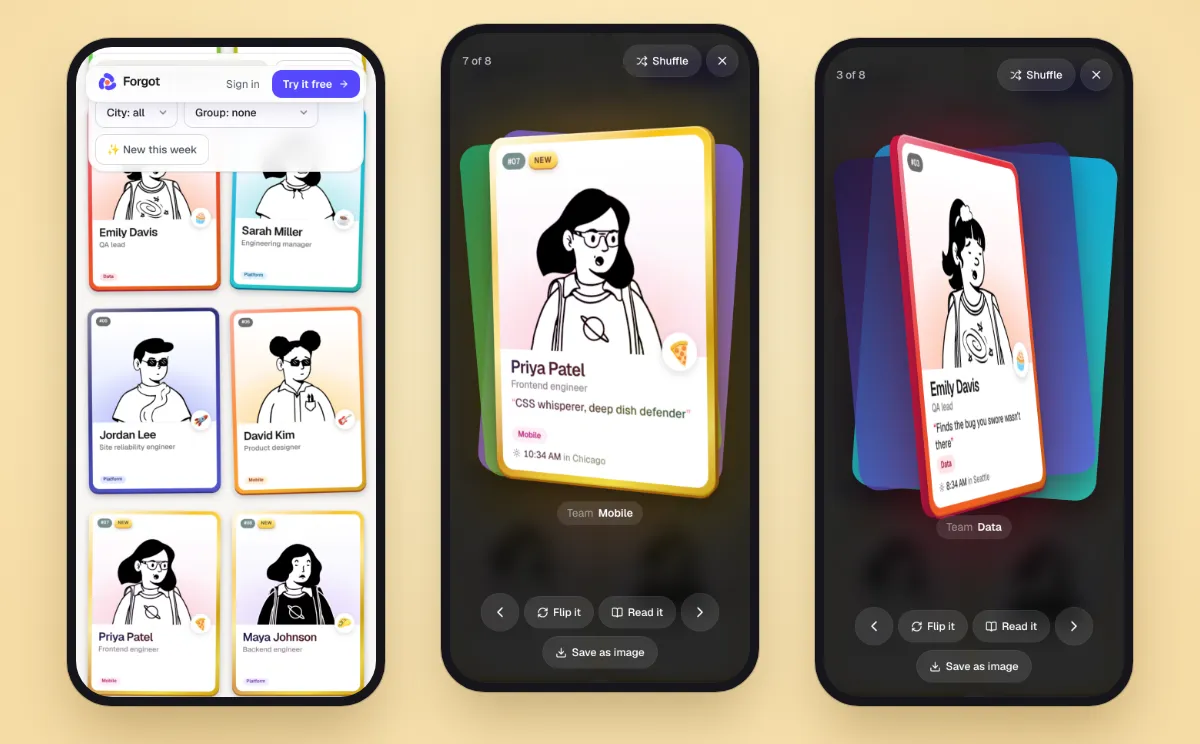
Thicker team cards, and gold for new joiners
Team intro cards look more like the cards from a pack now.
Thicker cards. Every card has a real edge in a darker shade of its color. You see it as a card turns under your mouse, when you flip it, and when you open one: it swings once as it lands, so the edge shows on a phone too.
Gold for new joiners. When someone joins a deck that was already going, their card is gold for their first week: a gold frame with a glint running across it, a soft rainbow shine and a gold New badge. In a brand-new deck everyone keeps their own color, since everyone is new.
Still quick on phones. Cards in the deck draw their edge only while a mouse is over them, so a deck of thirty scrolls as smoothly as before.
Flip through the example deck to see two gold cards.
Oct 17, 2026New
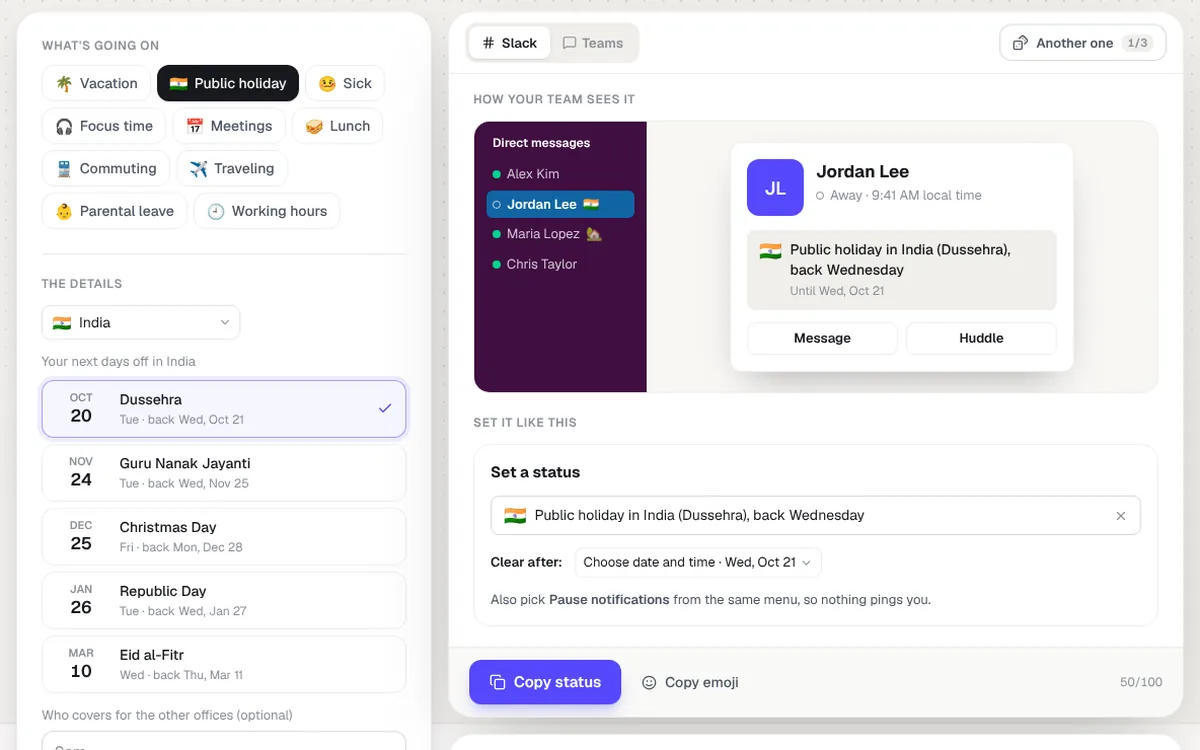
A Slack status generator and holiday messages for work, free
Two new free tools for the messages around time off. The Slack status generator writes your status for vacation, a sick day, focus time, meetings or a public holiday, with the day you're back worked out and a note on when to clear it. Pick your country for a holiday and it lists your next days off, from the same data as the team holiday calendar, so a coworker in another office sees "Public holiday in India (Dussehra), back Wednesday" before they message you. It also writes a heads-up post for the other offices, and the Teams version shows how your status message appears when someone starts a chat.
And the holiday message generator: Thanksgiving, happy holidays, Christmas and New Year messages for your team, coworkers, boss or clients, plus office-closed notices with your dates. Copy it for Slack, as an email, or download it as a card. Free, no sign-up.
Next on the roadmap: setting everyone's Slack status from their time off on the board.
Oct 17, 2026New
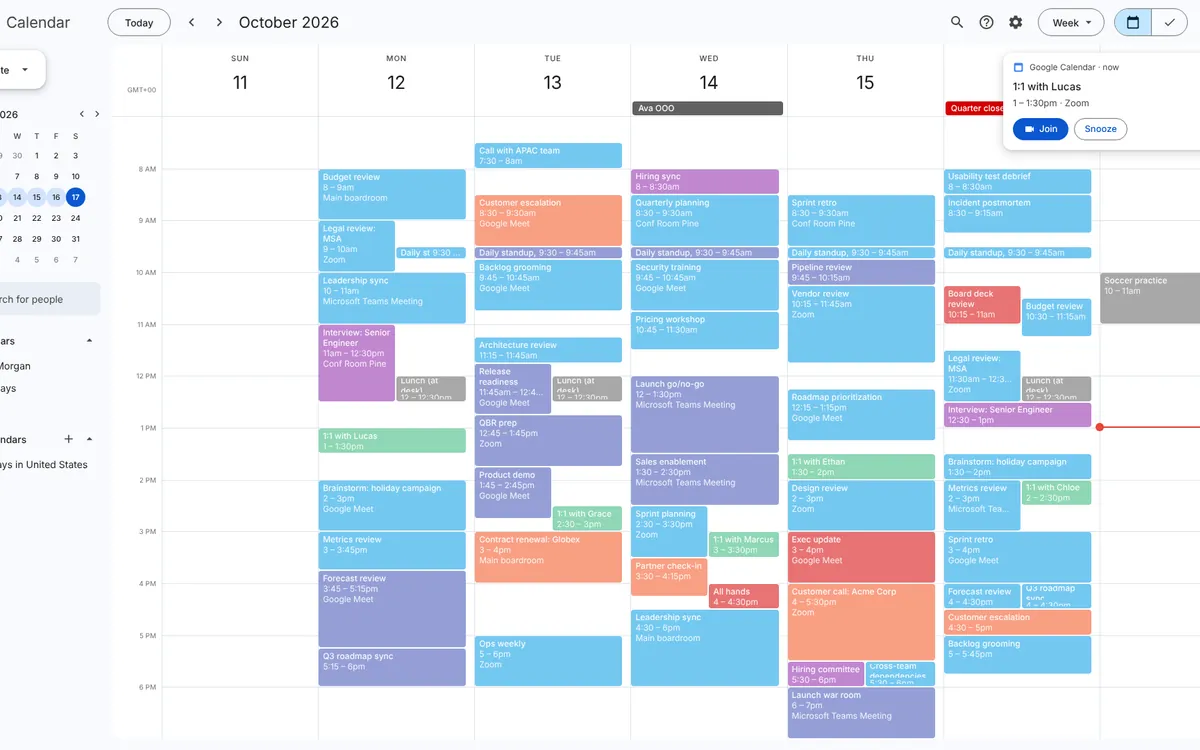
A fake busy calendar and a spreadsheet that works by itself
Two more fake work screens. The fake busy calendar fills your screen with a Google Calendar or Outlook week packed with back-to-back meetings, a moving time line and the odd reminder popping up. Pick how busy, then save it as an image. The fake spreadsheet is a Google Sheets budget that moves between cells, types numbers and updates its totals and chart by itself.
Oct 17, 2026New
Free calendar templates for Google Sheets and Docs
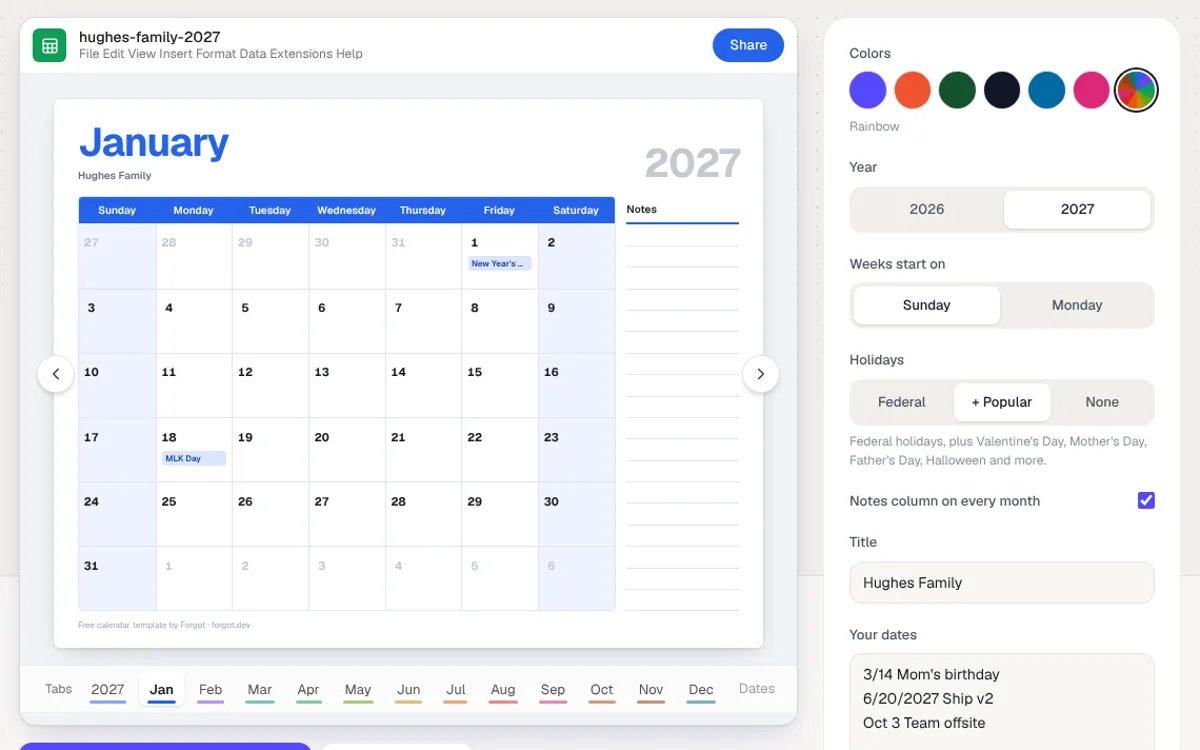
A free calendar builder for Google Sheets and Google Docs. Pick the year, a color theme and your holidays, add birthdays, launches and deadlines, and download the whole year on one page plus a big page for every month. The spreadsheet works in Google Sheets and Excel, and typing a new year into one cell moves every date and holiday with it. The Docs version is one landscape page per month, ready to print.
Planning a team, not just your own year? Forgot puts everyone’s vacations and holidays on one calendar.
Oct 17, 2026New
A free meeting timer that floats over your screen share
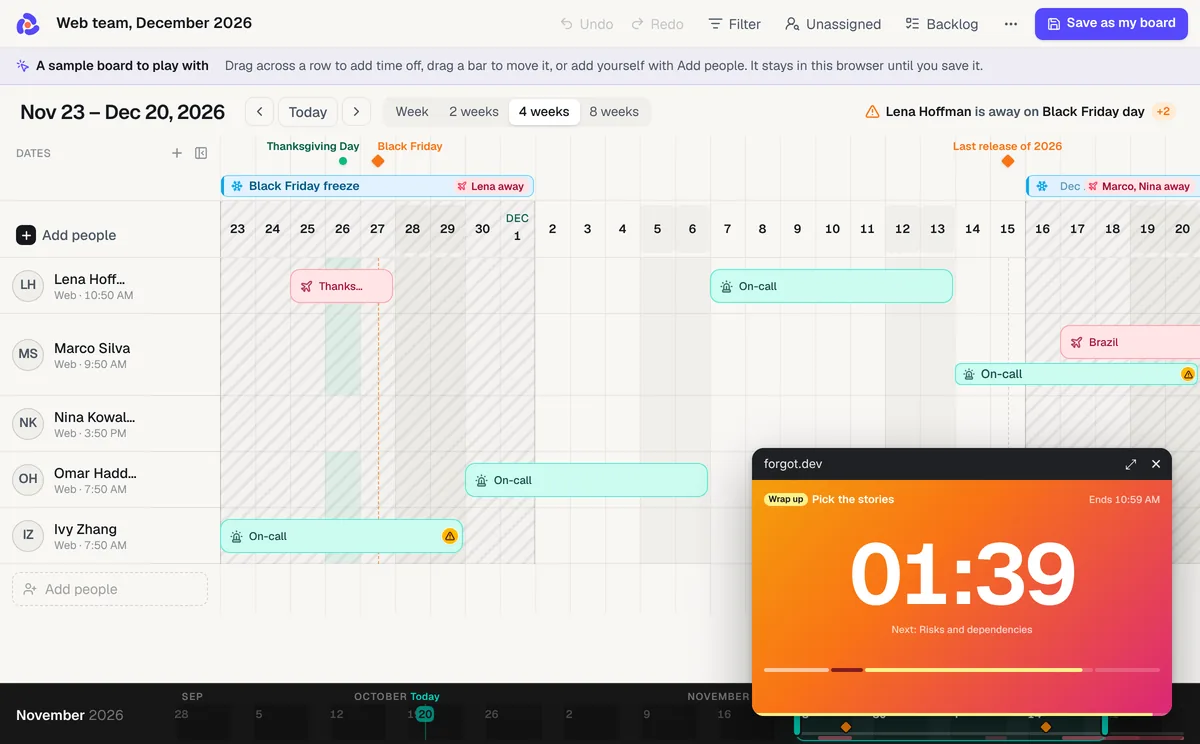
There's a new free tool: a meeting timer that floats on top of your screen share. Set a countdown, an agenda with a time for every item, or a standup round where everyone gets a turn. Press Float over my screen, share your entire screen in Zoom, Google Meet or Teams, and the whole call sees the minutes go down, the item that's on and what's next.
Four timers. A countdown, a timed agenda with ready-made templates (sprint planning, retro, sprint demo, 1:1), a standup with a fresh random order every round, and a stopwatch.
Wrap up, then over time. It turns amber when time runs low and counts the minutes over in red, so nobody has to interrupt. An agenda ends by telling you how early or late the meeting finished.
Make it yours. Ten looks, from gradients to Paper and Terminal, or your own color or gradient, four typefaces for the digits, and a bar, a fill or a ring for progress. The meeting cost ticker wears the same looks now: press Style on its card.
Share just the timer. Open as a window puts it on a page of its own, to share as one window from any browser, and a copied link brings back every setting.
There are pages set up for Zoom, Google Meet, Teams, presentations and standups. Every retrospective game has a link that opens the timer with its steps already in. Free, no sign-up.
Oct 17, 2026New
The meeting cost ticker now floats over your screen share
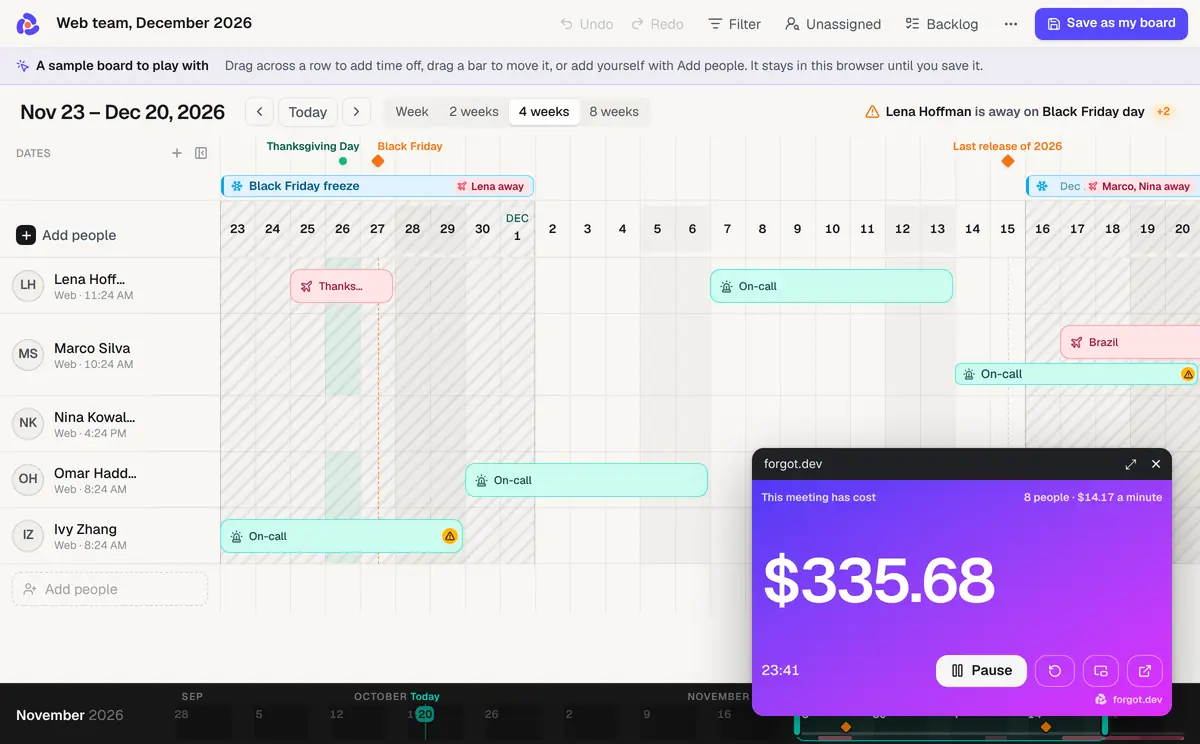
The meeting cost calculator has had a live ticker since it launched: start it when the meeting starts and watch the dollars climb. Now the ticker can leave the page. Press Pop out and it becomes a small floating window that stays on top of everything you share, so the whole call watches the number go up while you walk through the slides, the board or the code. Drag it to any corner. It uses the people and salaries you set on the calculator.
Floats over your screen share. The pop-out is a picture-in-picture window, the kind video sites use, so it stays visible over Zoom, Google Meet, Teams, your slides and your editor. Chrome and Edge on a desktop can do this; Safari and Firefox can't yet.
Or share just the ticker. Open as a window puts the ticker on a page of its own, with nothing else on it, so you can share that one window from the call in any browser.
It keeps counting in the background. The clock runs off real time, so switching tabs or minimising the page doesn't slow it down, and bringing it back to the page keeps the total.
Try it on the meeting cost calculator. Fair warning: it makes the 45-minute status update feel very long.
Oct 17, 2026New
Team intro cards, rebuilt for phones
Team intro cards now work as well on a phone as on a laptop, and a few things got a lot nicer on both.
Swipe the back. A card's back is now a set of slides: the answers, the this-or-that sliders, then each photo, with dots at the bottom like a phone's home screen. Swipe, tap the edges or use the arrow keys.
Read it all at once. On a laptop, an open card shows everything from its back in a panel beside it, so there's no flipping back and forth. Hide the panel when you just want the card. On a phone, Read it opens the same thing as a sheet.
Real city search. Start typing a city and pick it from 38,000 places; picking one sets the time zone too. The same search now works for people and teams on your boards.
Take the photo with your phone. Making your card on a computer? Scan the QR code on the photo step, take the picture with your phone, and it lands on the card ready to frame.
Your team logo. Whoever made the deck can add the team's logo. It shows above the team name, in the corner of every card and on the link preview in Slack or Teams.
Built for small screens. The card maker keeps each question on screen with a small live card you tap to see big, and every card got a glossier, thicker look.
Oct 17, 2026New
A fake video call and a fake Windows update, free
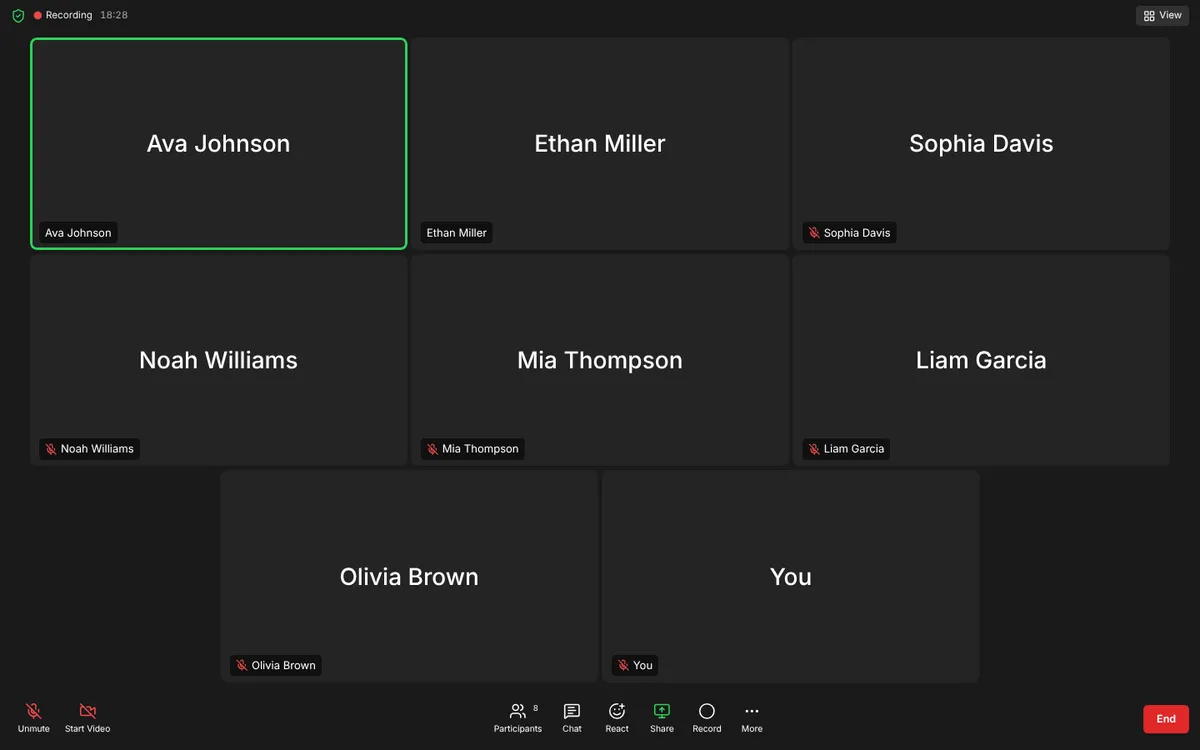
Two new free tools for your screen. The fake video call fills the screen with a pretend Zoom, Teams or Google Meet call: add the people, pick how much they talk, and the speaking outline moves from person to person while the meeting clock runs. There are pages for Zoom, Teams and Google Meet, gallery or speaker view, and muffled voices if you want sound.
And the fake Windows update screen: Windows 11 or 10, the spinning dots, and a percentage that races, stalls and creeps like the real thing, plus a harmless fake blue screen of death. Esc gets you out of all of them. Free, no sign-up.
New guide too: how to keep your Teams status green, with what actually works in 2026 and what every status icon means.
Oct 16, 2026New
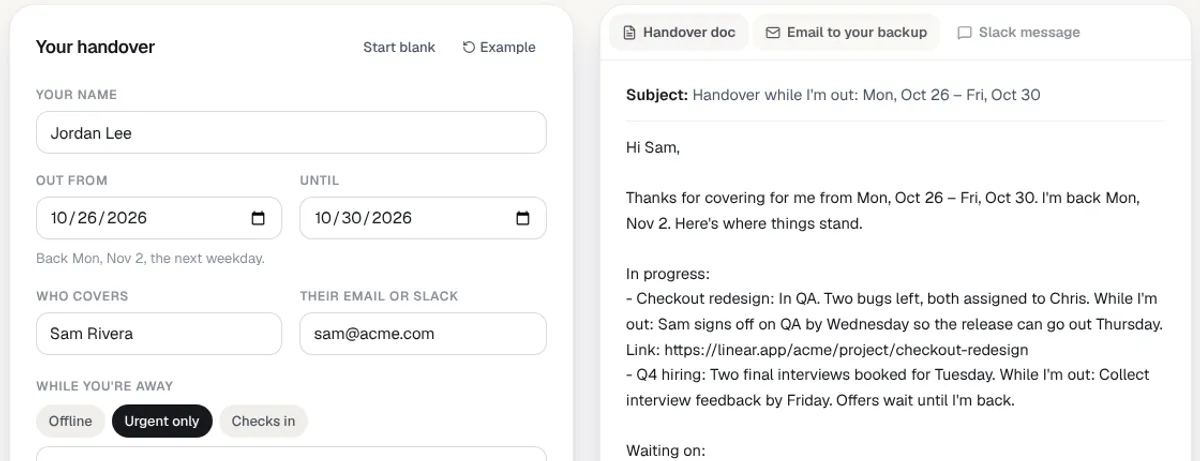
A free vacation handover template
Going on vacation should not mean a two-hour handover doc. The new vacation handover template asks for what is in progress, what is waiting, who covers and where things are, then writes three things for you.
A handover doc you can paste into Google Docs or download for Word.
An email to your backup that opens in your email app.
A Slack message for the team channel.
It is free, needs no sign-up, and keeps your draft in your browser. On a Forgot board, pick Who covers? on a vacation bar and the whole team sees it.
Oct 15, 2026Free tool
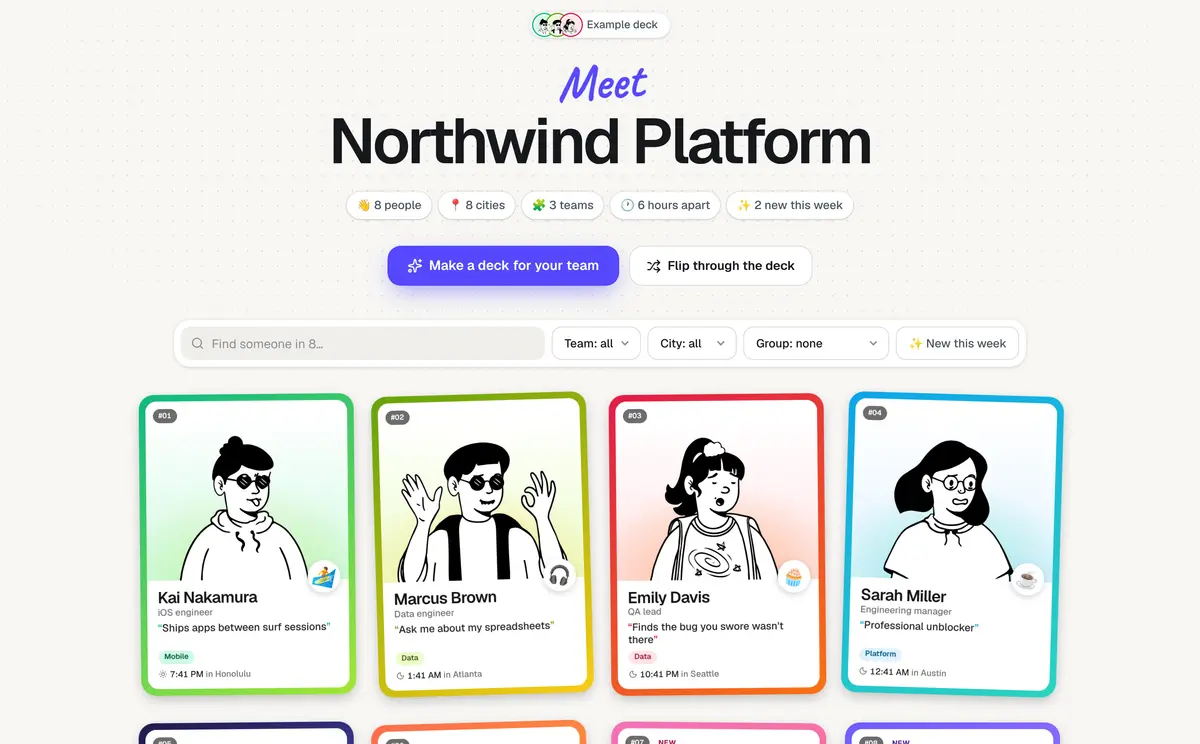
Team intro cards: a deck of trading cards you can browse by team
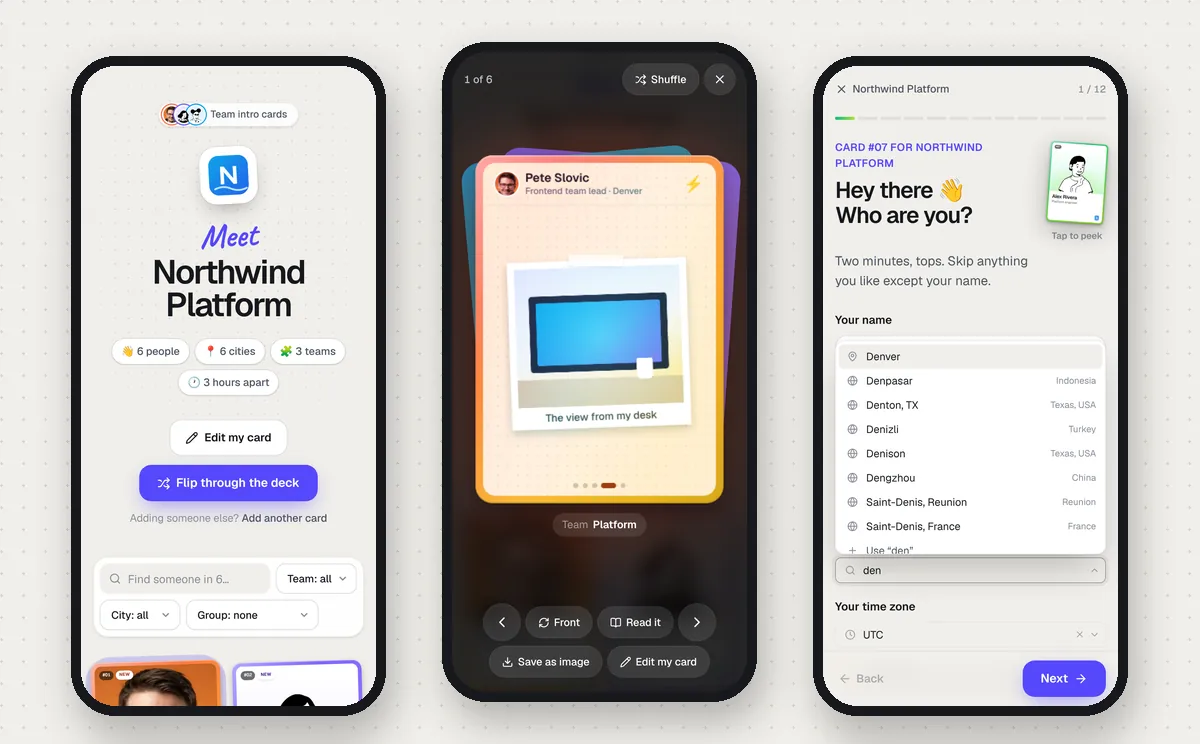
Team intro cards got a full redesign. Everyone on the team gets a trading card: their photo, framed right on the card, or a drawn doodle, plus a one-liner, their role, their city and what time it is there. Flip it over for their answers to a few cheeky questions, where they land on sliders like early bird or night owl, and polaroids of whatever you asked them to show.
Make the deck. On Team intro cards, pick the questions and sliders, choose which photos to ask for (the view from your desk, your pet, your mug), and add fields like Team or Office with their options.
Everyone makes a card. One question per screen, with the card filling in next to it. People pick their team and office, frame their photo on the card, and skip anything.
Browse it. Find anyone by name, filter by team, office or city, group the deck by any of them or by local time, and send someone a link that opens on one team.
Flip through it. Open any card full screen with the rest of the deck stacked behind it, flip it, shuffle, and save a card as a picture for Slack.
Put them on a calendar. One button turns the deck into a Forgot board, grouped by team, with faces, cities and time zones already filled in.
See how it looks with the example deck. Nobody needs an account.
Oct 7, 2026New
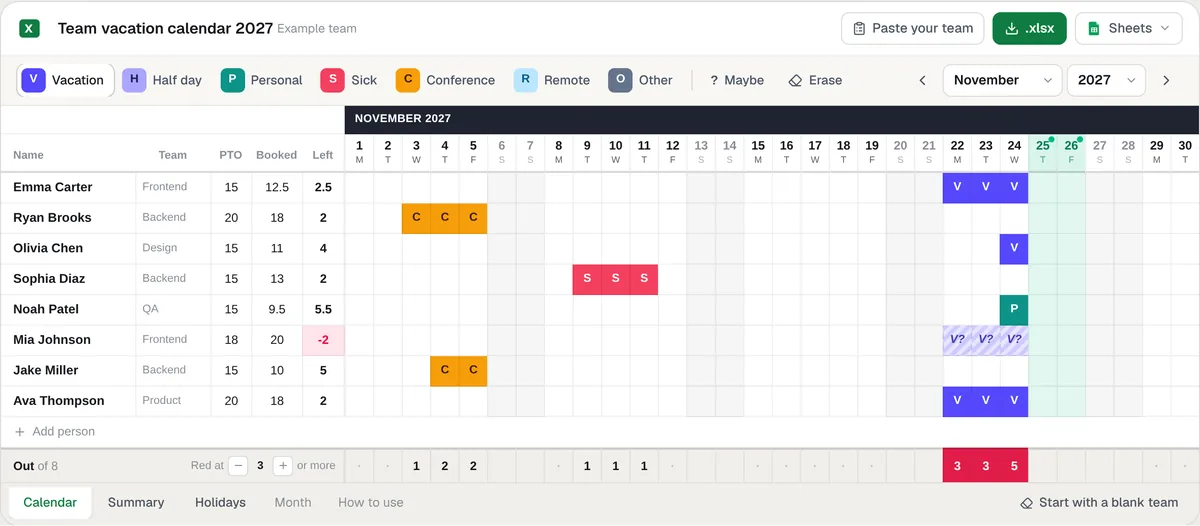
A free team vacation calendar template for Excel and Google Sheets
Forgot now has a free team vacation calendar template for Excel and Google Sheets. One row per person, the whole year on one tab: type V and the day turns blue, weekends and US holidays shade themselves, and the bottom row turns red when too many people are out on the same day.
Make it yours before you download. Paint days off right on the page, paste your team from anywhere, switch off the holidays you work. The file you download is the one you built, and your names never leave your browser.
It does the counting. PTO balances count workdays only, half days count half, and Left turns red when someone books more than they have. A Summary tab shows who's out today and the busiest days of the year.
Excel or Google Sheets. Download the .xlsx or make a copy in Google Sheets. US holidays follow their rules, so changing the year in one cell moves every date, observed days included.
When the sheet starts needing more upkeep than it saves, your Forgot board is the same calendar without it.
Oct 7, 2026New
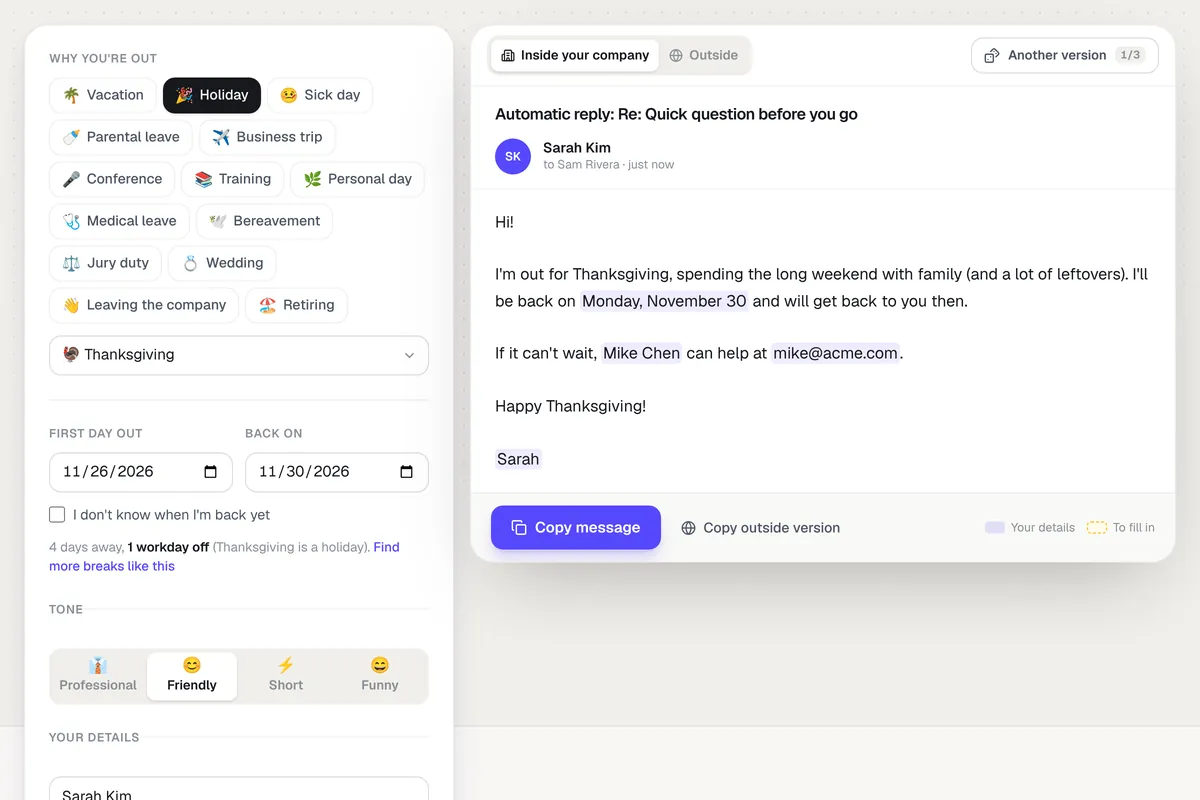
A free out-of-office message generator
Forgot now has a free out-of-office message generator. Pick why you're out and how you want to sound, and your auto-reply writes itself with your dates and who's covering for you.
82 hand-written messages. Professional, friendly, short or funny, for vacations, every US holiday, sick days, parental leave, conferences, retirement and more. Each one says when you're back and who to ask.
A version for people outside your company. It stays professional and leaves private reasons, like a sick day, out of it.
The rest of your out-of-office, done. A Slack or Teams status, a calendar block, a note for your team lead, and the steps to turn it on in Outlook, Gmail and Teams with your dates already filled in.
Your auto-reply covers your inbox. Your Forgot board shows the team who else is out that week.
Oct 7, 2026New
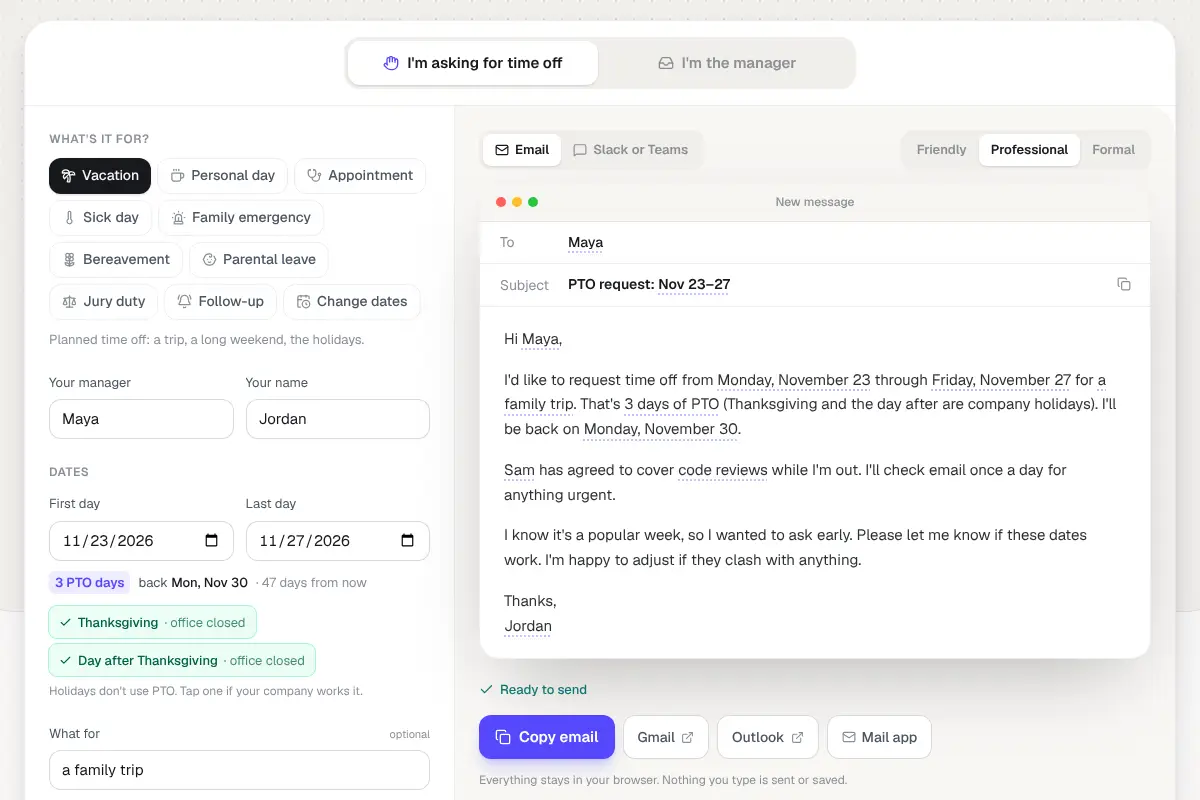
Time off request emails that write themselves
Forgot now has free time off request email templates that fill themselves in. Pick the situation, type your manager's name and your dates, and the email writes itself as you go, in a friendly, professional or formal tone, as an email or a Slack or Teams message.
It does the date math. Weekends and company holidays come off the PTO count, so Thanksgiving week is 3 days, not 5, and the email says the day you're back.
Both sides of the request. Ten templates for asking, from a vacation or a sick day to parental leave or jury duty, and six for managers: approve, decline, suggest other dates, ask for details, and more.
Send it from where you write. Copy it, or open it straight in Gmail, Outlook or your mail app. Nothing you type leaves your browser.
For managers, the email is the easy part. Your Forgot board shows who else is out that week before you say yes.
Oct 7, 2026New
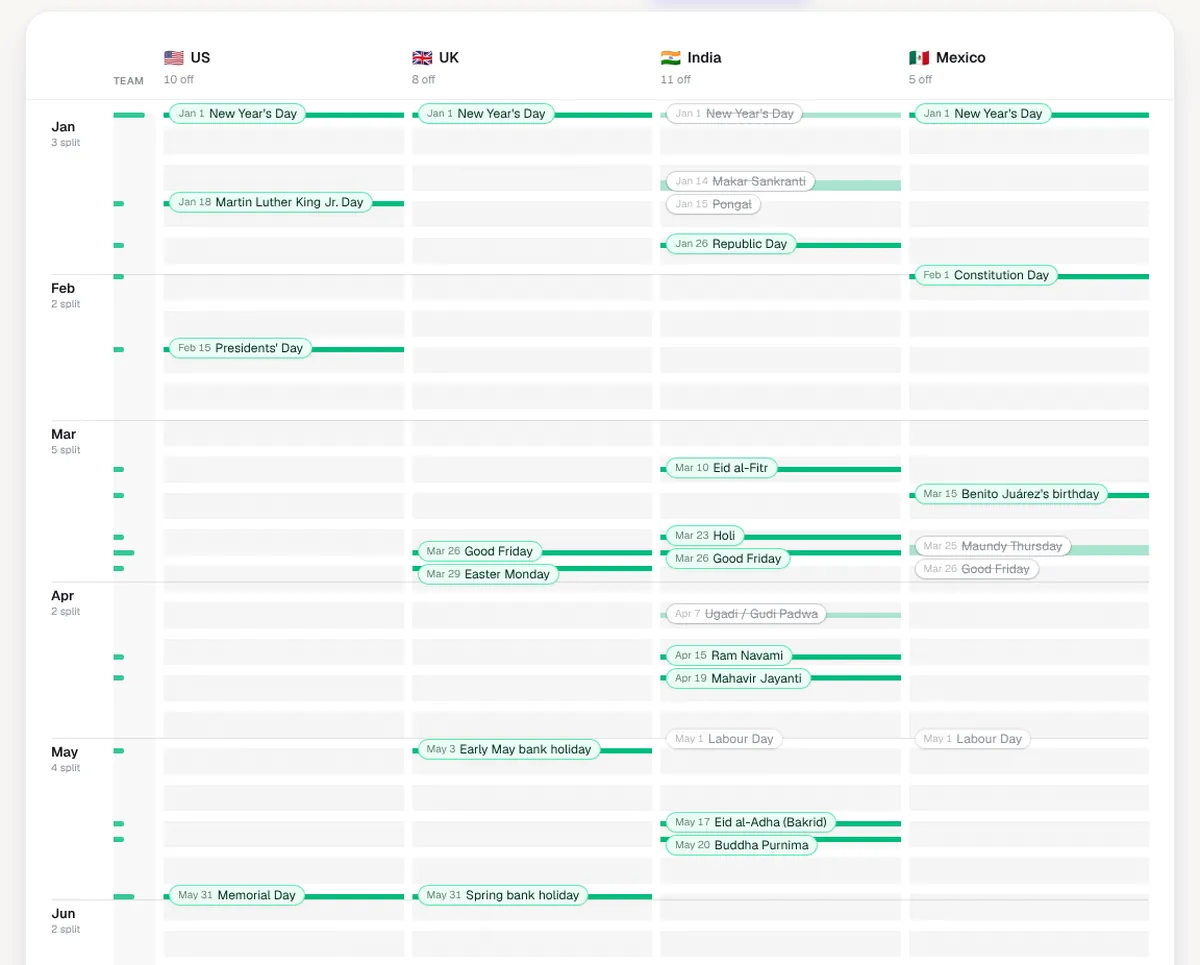
A free holiday calendar for teams across countries
Forgot now has a free team holiday calendar. Add the countries your team works from and see every public holiday side by side: a lane per country, January at the top, so the days part of the team is out stand out at a glance.
Split days and clear weeks. It counts the days part of the team is off while the rest works, the days everyone is off, and the longest run of weeks with no holiday anywhere, the safest stretch for a launch.
200+ countries, checked where it counts. Pick states and regions where holidays differ. India, Mexico, Brazil, the Philippines and eight more countries are checked against their official lists.
Take it with you. Add every holiday to Google Calendar or Outlook in one file, copy a list for Slack, download a CSV, or share a link to your exact setup.
Holidays are half the picture. Your Forgot board puts each person's vacations next to their country's holidays.